NSP Scholarship 2026-27 Defective Application – How to Fix and Resubmit
Introduction
Open your NSP dashboard and see the word “Defective” next to your name, and your stomach drops. It happens to thousands of students every year, and most of them think the scholarship is gone.
It isn’t. A defective application is not a rejection. It has been returned to you so you can correct the exact issue named and resubmit it inside the portal.
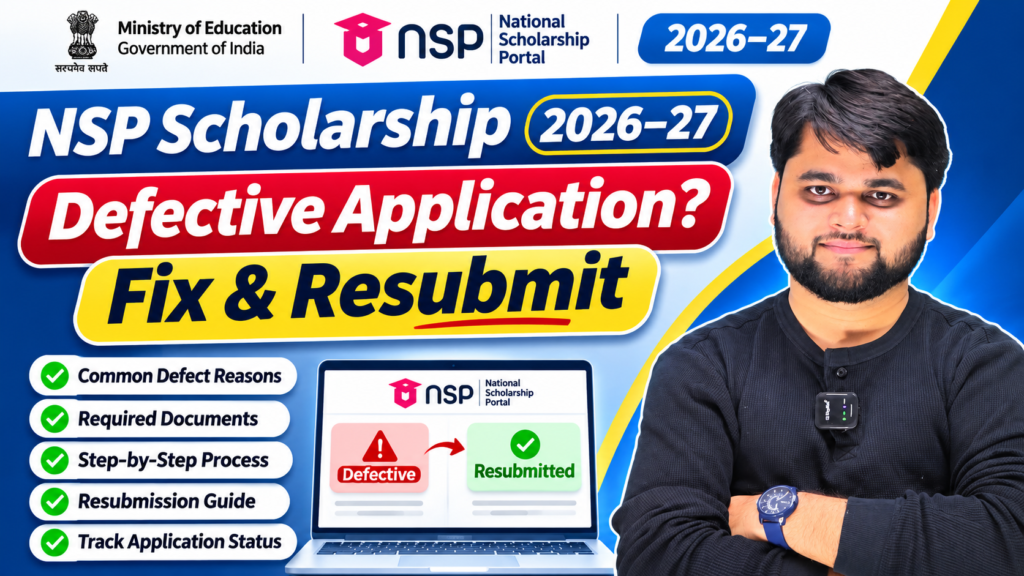
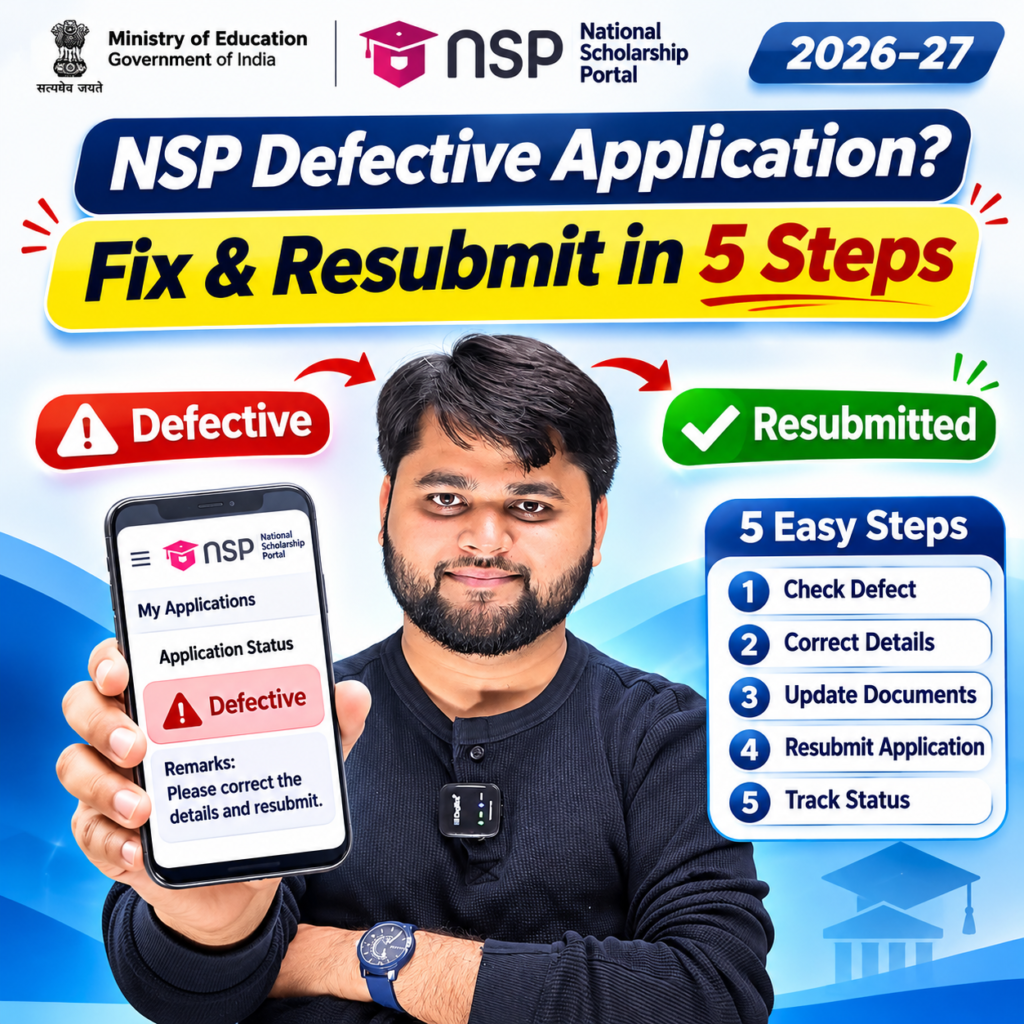
That is the short answer to NSP Scholarship 2026-27 defective application – how to fix and resubmit. Read the remark, fix that problem, submit again, and then make sure your institute re-verifies the form.
This guide goes deeper than a quick checklist. You will learn:
- What “application defective by INO” really means
- The most common reasons applications get returned
- How to find and read your exact defect remark
- The difference between editing, resubmitting and withdrawing
- A full step-by-step correction process
- What happens after you resubmit, and how to follow up
- Mistakes that cause a second or third defect
- Answers to the questions students search for most
Keep your documents nearby while you read. Many students finish the whole correction in one sitting once they know what to do.
What “Application Defective by INO” Actually Means
On NSP, every application passes through your institute before it goes anywhere else. The person who checks it is the Institute Nodal Officer, called the INO. This is usually a staff member in your school or college scholarship cell.
The INO compares what you filled in with your real documents. If something doesn’t match, is unreadable, or is missing, the INO marks the form defective and sends it back with a remark.
So “defective by institute” really means “please fix this and send it again.” It does not mean “you are not eligible.”
Defective vs rejected: why the difference matters
Students often mix these up, and the confusion causes panic or, worse, inaction.
A defective application is temporarily on hold. The student can edit and resubmit, the scholarship is still possible, and a time limit is given for correction. A rejected application is a different story. It is not considered further, and your routes are a grievance, a conversation with your nodal officer, or reapplying in the next cycle.
Think of it like a bank returning a cheque for a signature mismatch. The money isn’t cancelled. You just have to sign properly and submit it again.
Why you shouldn’t ignore it
The danger of a defective status is silence. If you don’t act inside the correction window, the application can stay stuck and effectively lapse. Many students lose a full year of scholarship money not because they were ineligible, but because they never opened the remark.
Quick Summary
| Point | What You Need to Know |
|---|---|
| Status you will see | Defective / Application defective by institute |
| Who marked it | Institute Nodal Officer (INO) at your school or college |
| Is it rejected? | No. It is returned to you for correction |
| What you must do | Read the remark, fix the problem, resubmit |
| Can you edit everything? | Not always. Some details need withdrawal first |
| Where to check | Your student login on scholarships.gov.in |
| Time limit | Set by the scheme; check your dashboard |
| After resubmission | Goes back to the institute for re-verification |
| Biggest risk | Doing nothing, or resubmitting and never following up |
| Best first step | Screenshot the remark, then gather your documents |
Why NSP Applications Get Marked Defective
The remark in your login is the real answer, so always read it first. Still, certain mistakes appear again and again, and knowing them helps you fix problems faster and avoid new ones.
1. Name mismatch
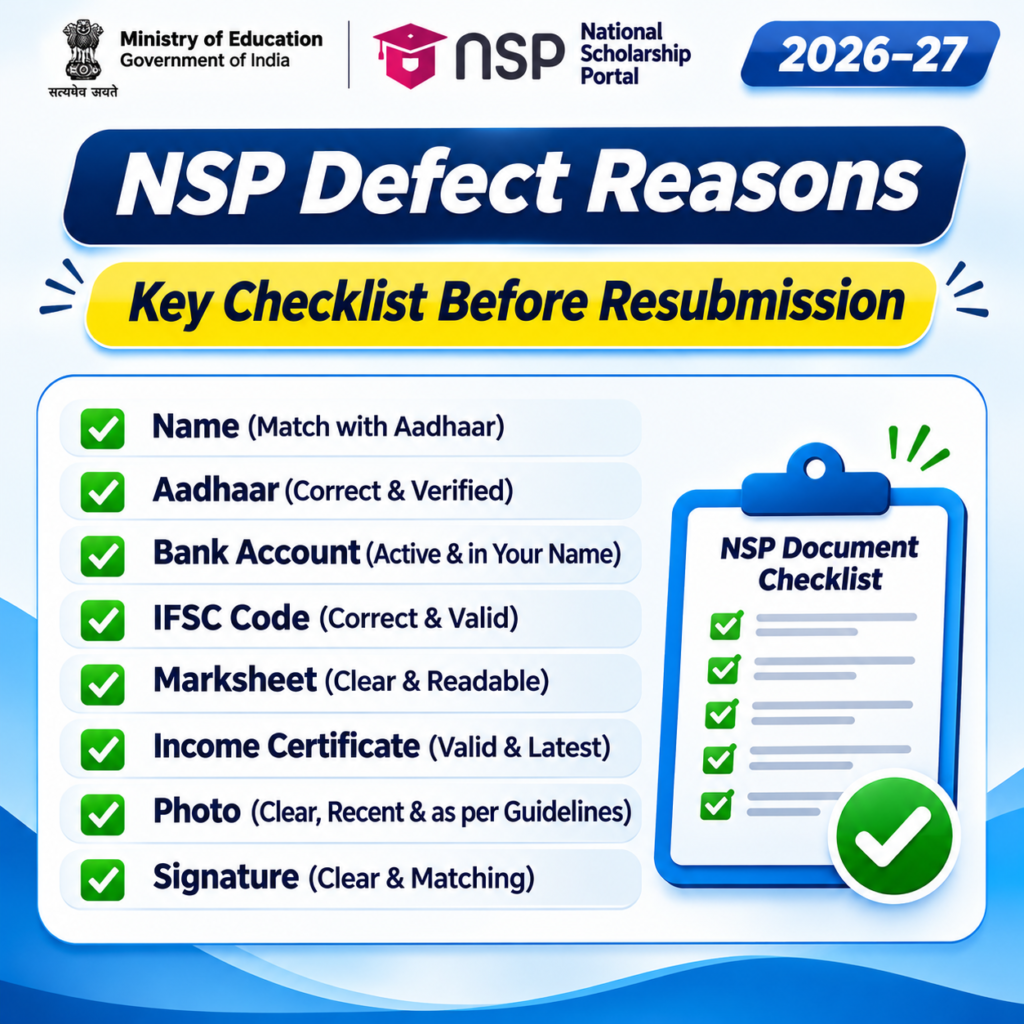
Your name on the form is spelled differently from your Aadhaar, marksheet or bank passbook. One missing letter or a swapped surname is enough. Matching your name, Aadhaar and bank details is the first thing to check.
2. Unclear or wrong uploads
Blurry photos, cut-off corners, dark scans, a signature that doesn’t fit the box, or a file in the wrong size or format. Uploads should be clear JPEG or PDF files within the portal’s limits to avoid defects.
3. Bank detail errors
A wrong IFSC code, a typo in the account number, an account that isn’t active, or an account not linked with Aadhaar. Because scholarship money goes by direct transfer, institutes check this closely.
4. Income or category certificate problems
An expired certificate, a certificate from the wrong year, an unreadable stamp, or one issued by the wrong authority.
5. Marks and course details not matching
The percentage or class you entered differs from your latest marksheet. Or your course, year or enrolment details don’t match what the institute has on record.
6. Institute or course selected wrongly
Choosing the wrong institute or wrong course during the application is a more serious defect, because it affects who can verify you. This one needs a special process, which we cover in the next section.
7. Missing documents
A required document wasn’t uploaded at all, usually because the scheme asks for something different from what you applied under last year.
A quick self-check before you even open the remark
Before you log in, ask yourself three things:
- Did I type my name exactly as it appears on Aadhaar?
- Is my bank account active and seeded with Aadhaar?
- Are all my scanned files sharp, complete and within size?
Answering these honestly solves a large share of defects before the INO ever sees the form.
Correct, Resubmit or Withdraw: Which One Do You Need?
This is the part most guides skip, and it is where the 2026-27 rules make a real difference. You first need to decide which kind of fix you are dealing with.
Case 1: The defect is in scheme-specific details
This is the easy case. Documents, bank details and scheme-related fields can be edited directly. Under the revised 2026-27 framework, students can edit only scheme-specific details when an application is marked defective. You open the form, correct the field, and resubmit.
Case 2: The mistake is in general, academic, institute or course details
Here, simply editing won’t work, because those sections are locked. To change general, academic, institute or course details, all submitted applications must first be withdrawn.
Withdrawal sounds frightening, but it isn’t cancelling your scholarship. It just unlocks the form so you can rebuild it correctly.
Before you withdraw anything
Take these precautions first:
- Check your scheme’s remaining time. Open the scheme page and confirm the deadline. If the window is nearly closed, speak to your INO before withdrawing.
- Keep every document ready. Once you withdraw, you want to finish in one go.
- Don’t start a new application from scratch. Use your One Time Registration (OTR) ID instead of creating a second application. Duplicate forms create their own problems.
- Write down what you are changing and why. If your INO asks, you can explain clearly.
Case 3: You selected the wrong institute
This is the trickiest scenario. The sequence matters. The institute you wrongly selected must mark the application defective first, and only after that can the institute be corrected. So contact that institute’s nodal officer, explain the mistake, and ask them to return the form. Then withdraw and correct.
A simple decision guide
| If your problem is… | Then do this |
|---|---|
| A blurry or wrong document | Edit, re-upload, resubmit |
| Wrong bank detail | Edit, correct, resubmit |
| Wrong course or academic detail | Withdraw, correct, reapply with the same OTR |
| Wrong institute selected | Ask that INO to mark defective, then withdraw and correct |
| Not sure what the remark means | Ask your INO or the NSP helpdesk before touching anything |
Step-by-Step Process to Fix and Resubmit
| Step | Action | Tip |
|---|---|---|
| 1 | Log in to the NSP student login using your OTR/application ID | Pick the correct academic year, 2026-27 |
| 2 | Open your application status and locate the defect remark | Take a screenshot of the exact wording |
| 3 | Decide whether it is an editable fix or needs withdrawal | Scheme details can be edited; general, academic, institute and course details need withdrawal |
| 4 | Gather clean documents and recheck every spelling | Compare Aadhaar, passbook, marksheet and certificate side by side |
| 5 | Correct the field or re-upload a clear scan | Use a scanner app, not a dim phone photo |
| 6 | Preview the entire form, not just the corrected tab | A new mismatch can hide elsewhere |
| 7 | Final submit and save the acknowledgement | Keep both a PDF and a printout |
| 8 | Inform your INO and request re-verification | Carry originals and a photocopy set |
| 9 | Track your status every day or two | Note the date and what it says |
| 10 | Escalate if there is no movement | Go to the head of institute or the district nodal officer |
A few notes on the steps
On Step 2: The remark may be short or vague, such as “document not clear.” If you can’t tell which document, ask your INO directly instead of guessing. One wrong guess can cost you another round.
On Step 5: Keep file sizes within the portal’s limits. Too large and the upload fails. Too compressed and it becomes unreadable. Aim for a sharp, flat scan.
On Step 8: This step is the one students skip. Resubmitting on the portal does not automatically make anyone look at your form. A polite visit or call can save days.
What Happens After You Resubmit
Resubmitting is not the finish line. It is the start of a second review.
The path your corrected application takes
After correction, the application goes back to institute or state verification, the status changes to Under Verification or Verified, and if approved it is forwarded for PFMS payment.
So the order is simple: you fix it, the INO re-verifies it, higher levels check it, and then payment is processed.
Timelines you should know
For 2026-27, reports point to these broad dates:
- Student applications for most central schemes closed on 31 October 2026
- Institute verification was set to close on 15 November 2026, with Level 2 checks by district, state or ministry running until 30 November 2026.
Please treat these as general guidance, not a promise for your scheme. Different schemes have shown different and sometimes extended windows. If your status still shows defective or pending, open your scheme’s page on the portal today and see exactly what applies to you. Don’t assume you are too late. Some windows are extended, and your INO will know.
What to do if nothing changes after resubmission
Waiting quietly is the wrong move. Try this order:
- Check your dashboard daily. Note any change in status or remark.
- Visit the scholarship cell. Bring your acknowledgement, a printout and your ID.
- Ask for a written or verbal acknowledgement that your corrected form is pending with them.
- Escalate politely. If the queue is stuck, go to the head of the institute, then the district nodal officer.
- Use the NSP helpdesk or grievance option if your institute is unresponsive.
Why institutes are slow
INOs handle hundreds of files at once, and many are doing this on top of their regular duties. A calm, prepared student who makes the job easy often gets served first.
Mistakes That Keep Applications Defective
Many students fix the flagged problem and then get defected again. These are the habits that cause it.
Fixing only the flagged field
If the INO flagged your bank passbook, also check your name, IFSC and account number. Errors rarely come alone, and a second remark means another round of waiting.
Uploading poor scans
A phone photo in dim light with a thumb in the corner is a common reason for repeat defects. Use a scanner app, flat surface and good light.
Ignoring the portal after resubmitting
Remarks can return. Checking only once a week can mean missing a second correction window.
Waiting until the last week
INOs are busiest right before deadlines. A late resubmission may not be verified in time, even if your fix was perfect.
Opening a new application
This can create duplicate records and cause an entirely new set of problems.
Skipping the in-person follow-up
Portals are not always enough. Staff are human, and a prepared student with documents in hand gets faster attention.
Not keeping proof
Always save your acknowledgement, screenshots of the remark and the date you resubmitted. If a dispute comes up, these records protect you.
Ignoring other schemes while you fix this one
While you sort out your NSP status, don’t forget other benefits you may qualify for. For example, you can also check whether your name appears in the UP Free Laptop Yojana 2026 List.
Problem vs Solution
| Problem | Likely Cause | Solution |
|---|---|---|
| Defective: name mismatch | Spelling differs from Aadhaar or marksheet | Correct the form to match Aadhaar exactly, or update the document source |
| Defective: unclear document | Blurry, dark or oversized file | Re-scan in good light and upload in the allowed JPEG or PDF size |
| Defective: bank details wrong | IFSC or account typo, or Aadhaar not seeded | Correct from the passbook and confirm Aadhaar linking with your bank |
| Defective: income certificate issue | Expired, unreadable or wrong-year certificate | Upload a valid certificate for 2026-27 |
| Defective: marks mismatch | Marks typed differ from the marksheet | Re-enter marks exactly as printed and upload the latest marksheet |
| Defective: missing document | A required file was never uploaded | Check the scheme’s document list and add the missing file |
| Wrong institute selected | Selection mistake during the form | Ask that INO to mark it defective, then withdraw and correct |
| Cannot edit a field | The field is outside scheme-specific details | Withdraw the submitted application, correct, and resubmit |
| Still defective after resubmitting | INO has not re-verified yet | Visit the scholarship cell, get acknowledgement, escalate if needed |
| Pending at institute for days | Verification queue is long | Follow up in person with documents; escalate to the head or district nodal officer |
| Correction window closed | Deadline passed | Contact your INO and the NSP helpdesk, and check for an extension on your scheme page |
| Duplicate application appeared | A second form was created | Use your OTR ID, speak to the INO and helpdesk to resolve it |
You can log in and read your remark directly on the official National Scholarship Portal.
While you sort out your scholarship status, you can also check whether your name appears in the UP Free Laptop Yojana 2026 List
UP Free Laptop Yojana 2026 List: How to Check Your Name
How do I fix a defective NSP application?
If your NSP application is marked defective, log in, open the application status, read the remark from your institute, correct only the editable fields or re-upload the clear document, then final-submit again. The institute nodal officer must verify it again before it moves to the next level.
FAQ
What does “application defective by INO” mean on NSP?
It means your Institute Nodal Officer found an error or missing detail and returned the form to you. It is not a rejection, and you can correct and resubmit it.
How do I check why my NSP application is defective?
Log in to your NSP student account and open your application status. The remark explaining the defect is shown there. Take a screenshot before you change anything.
How do I fix a defective application on NSP 2026-27?
Read the remark, correct the flagged field or re-upload a clear document, preview the whole form, and final-submit. Then inform your INO so they can re-verify it.
How do I withdraw an NSP scholarship application?
Withdrawal is done from your student login when you need to change locked details such as general, academic, institute or course information. If you are unsure, ask your INO or the NSP helpdesk before withdrawing so you don’t lose time.
Can I edit my application after it is marked defective?
Yes, but only scheme-specific details can be edited directly. For other details, you must withdraw the submitted application first.
Is a defective application the same as a rejected one?
No. A defective application is returned for correction and your scholarship is still possible. A rejected application is not considered further.
How long does it take to process a defective application after resubmitting?
There is no fixed time. It depends on when your INO re-verifies the form. Follow up at your institute rather than waiting passively.
Conclusion
A defective tag feels scary, but it is one of the more fixable problems on NSP. The portal is telling you exactly what to repair, and most students sort it out in one sitting once they read the remark carefully and keep their documents ready.
Fix the field, keep your scans clear, resubmit, and then follow up with your institute. That last step is the one most people skip, and it is often the step that decides whether the file moves forward or sits still.
If your window is closing, act today rather than tomorrow. Check your scheme’s dates on the portal, speak to your nodal officer, and keep a copy of every acknowledgement. You have time to fix it, but not unlimited time.
And remember, you are not the only one dealing with this. Thousands of students see this status every year, and the ones who stay calm and act early are the ones who get paid.