Introduction
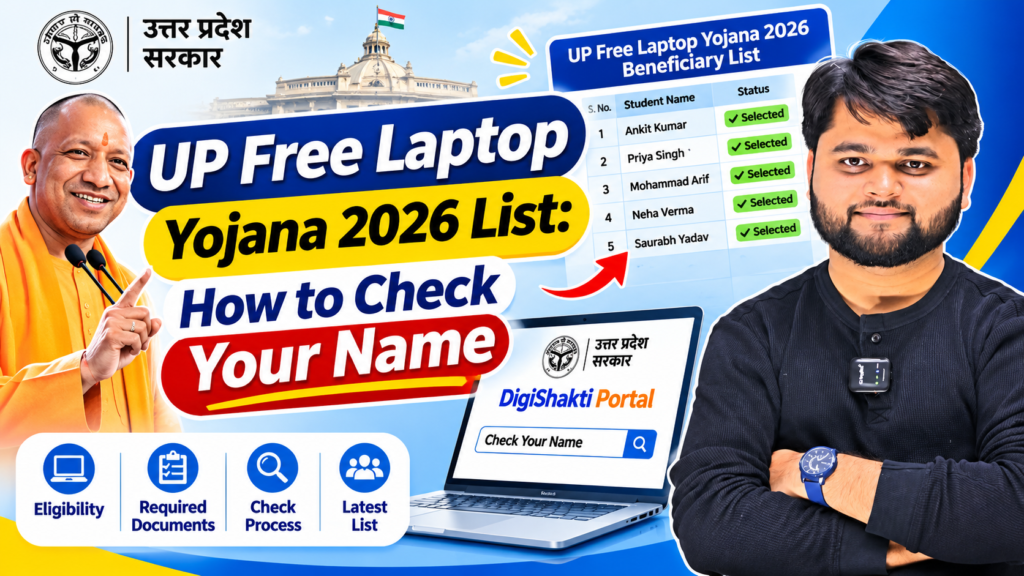
If you are hunting for the UP Free Laptop Yojana 2026 list, you have probably already noticed that nobody can show you an actual list. That is not because the scheme has stopped. It is because the scheme is different from what the search term suggests.
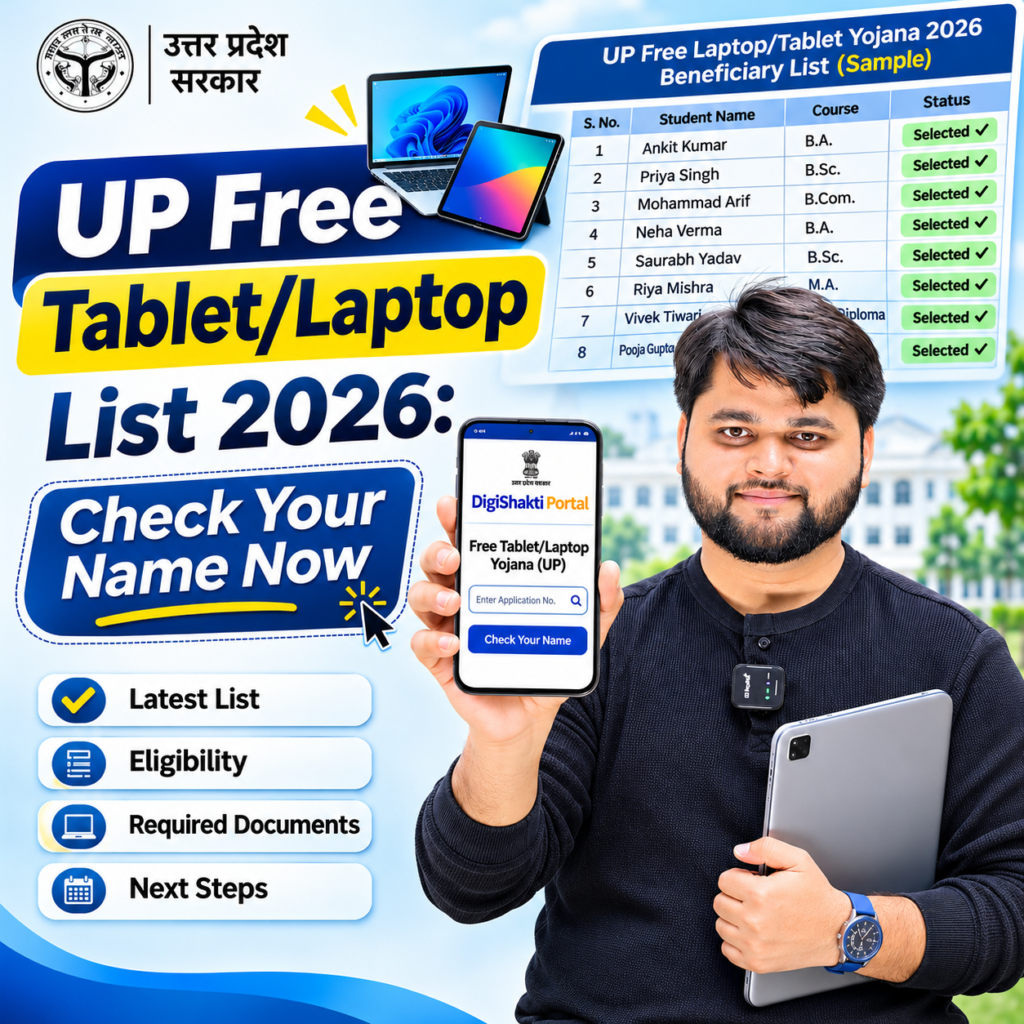
Uttar Pradesh is currently giving out free tablets under the Swami Vivekananda Yuva Sashaktikaran Yojana, also known as Mission DigiShakti. Chief Minister Yogi Adityanath launched distribution of 25 lakh tablets at Rashtra Prerna Sthal in Lucknow, with around 50,000 students from nearly 300 institutions attending.
There is no PDF to download and no form to fill in. Your college uploads your data, and you check your name on the DigiShakti portal with your enrollment number.
This guide explains who qualifies, exactly how to check your name, what every status message means, and what to do if your name is missing. It also covers how distribution works, what you receive, how to protect yourself from fake websites, and what to do after you get the device.
UP Free Laptop Yojana 2026: What Is Actually Running Right Now?
Why people still search for a “laptop” yojana
The word “laptop” stays in searches because of an earlier scheme that many families still remember. The Akhilesh Yadav government started a free laptop scheme for Class 12 pass students in 2012, with distribution beginning in Lucknow in March 2013. Since then, “free laptop yojana” has become the everyday phrase for any free-device scheme in the state, even when the device is a tablet or smartphone.
That is also why so many websites use “laptop” in their headlines. If you see a page promising a “laptop list” with names and districts, treat it with caution. The device in the current round is a tablet.
How the present scheme is different
The older scheme was aimed at students who had cleared Class 12. The present one is wider. It covers college students, diploma students, health education students, ITI trainees and skill training candidates. Selection does not depend on a board result in the same way. It depends on your course, your year of study and whether your institution has submitted your data.
The scheme in numbers
The government has set a target of 25 lakh additional tablets during 2026-27, and ₹2,374.60 crore has been earmarked in the state budget. One report puts the estimated purchase cost at around ₹3,000 crore across years. About 60 lakh smartphones and tablets have already gone out since the scheme began in 2021-22, which would take the total to roughly 85 lakh once this round is complete.
A short history of the scheme
- 2012-2013: Free laptop distribution for Class 12 pass students under an earlier state government.
- December 2021: The current device distribution drive was launched on 25 December 2021 at Ekana Stadium in Lucknow, with about 60,000 students receiving devices on the first day. The scheme was planned to run for five years.
- 2023 onwards: The cabinet cleared 10 lakh tablets and 25 lakh smartphones in March 2023 with ₹1,800 crore behind it, and another large round followed in 2024-25.
- 2026: The cabinet approved the purchase of 25 lakh more tablets, and distribution began on 15 November 2026.
Is there a central government free laptop scheme?
No. There is no central government scheme providing free laptops to all students in India. Viral WhatsApp messages about a “PM free laptop scheme” have been flagged as fake in fact-checks, so check any such claim on an official source before sharing your details
Quick Summary
| Point | Details |
|---|---|
| Official scheme name | Swami Vivekananda Yuva Sashaktikaran Yojana (Mission DigiShakti) |
| Device in the 2026 round | Free tablet (25 lakh planned) |
| Budget for 2026-27 | ₹2,374.60 crore |
| Distribution started | 15 November 2026, Rashtra Prerna Sthal, Lucknow |
| Who benefits | UG, PG, diploma, technical, health education, ITI and skill training students |
| Student application form | None. Colleges upload student data |
| Where to check status | digishakti.up.gov.in → Student Corner |
| What you need | Enrollment number, and an Aadhaar-linked mobile for e-KYC |
| Cost to student | Nil |
| Downloadable state-wide list | No |
| Devices given since 2021-22 | About 60 lakh |
| Scheme duration | Planned for five years from December 2021 |
Who Gets a Free Tablet in UP in 2026?
Eligible groups
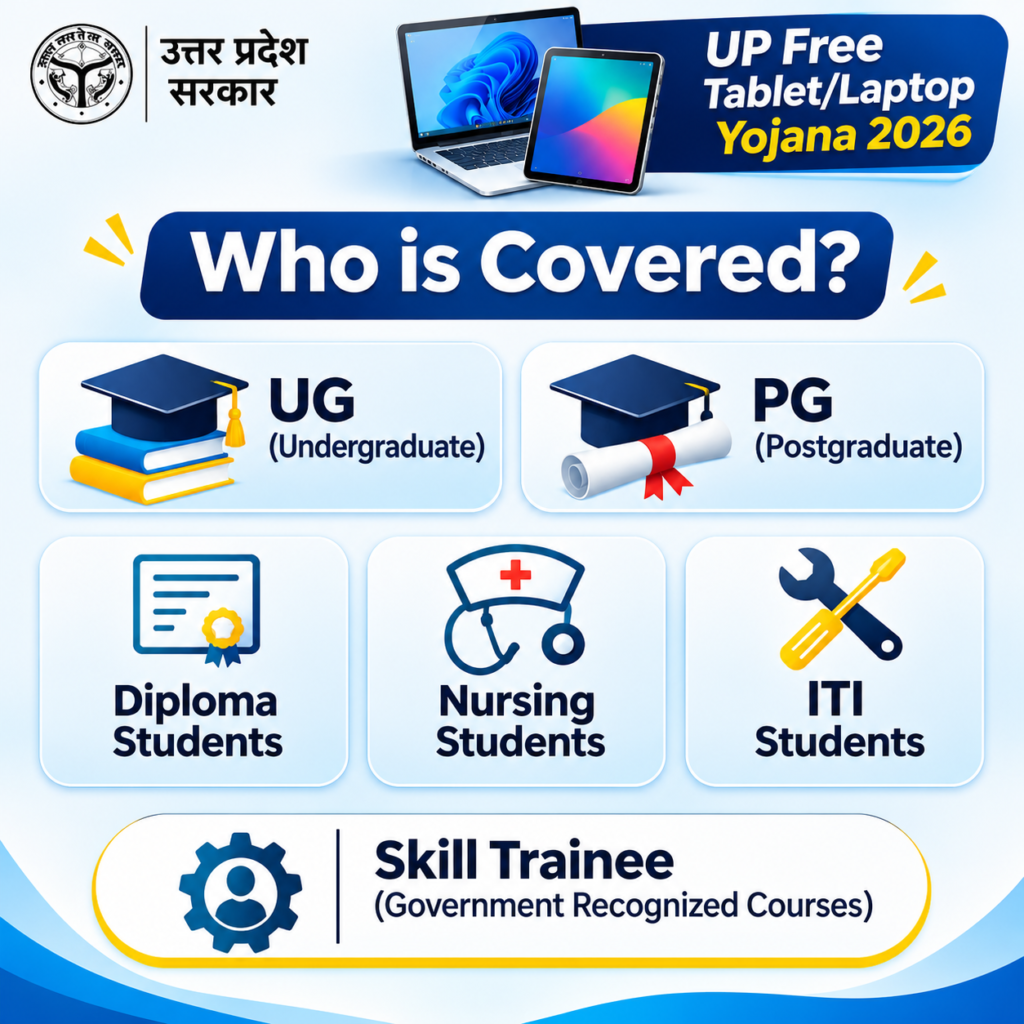
The scheme is meant for students of recognised institutions in Uttar Pradesh. The cabinet note for this round gives priority to final-year students of approved courses, across higher education, technical education, health education, ITI and skill training. Youth registered for skill development training are also covered even though they are not in a regular college.
In plain terms, these groups are included:
- Graduation and post-graduation students in UP colleges and universities
- Diploma and technical students, including polytechnic and engineering courses
- Nursing, paramedical and pharmacy students
- Medical and agriculture students
- Central university students in the state
- ITI trainees and skill development candidates at recognised training centres
- Youth registered on MSME and Sewa Mitra portals
The final-year priority
If you are in your final year, your chances of being in the early lots are better. Colleges often send final-year data first, and some districts run their distribution events for the final-year batch before others. If you are in an earlier year, do not assume you are excluded. The scheme runs in phases, and the data your college uploads decides who is in each lot.
Students from other states
A student from Bihar or Jharkhand studying in a Lucknow college is not left out. Students from other states who are enrolled in a recognised UP institution are covered as long as the institution uploads their data. The rule is about where you study, not where you were born.
Income and age limits
Reports say there is no family income limit and no age limit for this scheme. Selection depends on your course, your year, and whether your institution has uploaded and verified your record. Because conditions can change between rounds, confirm this on the official portal or with your nodal officer.
Who may not be included
Students whose institution is not recognised, students whose data was never uploaded, and students with serious data mismatches will not appear in the list until those problems are fixed. This is why the first question to ask is always “has my college uploaded my data?”
How to Check Your Name in the UP Free Laptop (Tablet) List 2026
Start with the point that confuses most people: there is no application form. Students do not register anywhere and no student login is created on DigiShakti. The college or university collects the data of eligible students and a nodal officer uploads it. After that, your job is simple. Check your status, complete Aadhaar e-KYC if asked, and keep an eye on messages.
There is no downloadable UP free laptop list 2026. Open digishakti.up.gov.in, go to Student Corner, select your university and college, enter your enrollment number, and click Search. Your status appears on screen. Complete Aadhaar e-KYC if asked, then wait for your college’s SMS. (43 words)
Step 1: Open the official portal
Go to digishakti.up.gov.in in your browser on a phone or computer. Type the address yourself rather than clicking links from messages. This is the only official portal for the scheme. A site asking for your Aadhaar number or any fee is not official.
Step 2: Find Student Corner
On the homepage, look for the Student Corner section. Select your university, board, society or council from the dropdown, then choose your college or institution from the next dropdown. If you pick the wrong affiliating body, your search will show nothing, so check your admission papers if you are unsure.
Step 3: Enter your enrollment number
Type it exactly as your college issued it. Keep the same format, including any letters or zeros. One wrong digit gives you an empty result. Fill the captcha and press Search.
A common mistake is typing a roll number from an exam admit card instead of the enrollment number from your admission or ID card. They are often different.
Step 4: Read your status
Your current status opens on screen. If it asks for Aadhaar verification, click the e-KYC through Meri Pehchaan option and finish the OTP step. Your Aadhaar has to be linked to a working mobile number for this to go through. If your Aadhaar is linked to an old number you no longer use, fix that first.
Step 5: Watch for your college’s message
Once e-KYC is done, keep your phone on and charged. When your name is finalised, an SMS is sent to your registered mobile number with the distribution date and time. In practice, the date and venue are most often announced by your college through SMS, notice board or class groups.
Step 6: Check with your college as well
Many colleges put the list on the notice board, and some share a PDF, which is often faster than the portal. Ask your department office or nodal teacher. Take a photo of any notice with the date visible.
What if the portal is slow?
Government portals get heavy traffic around distribution events. If the page loads slowly or fails, try early morning or late evening, use a different browser, and avoid refreshing repeatedly. Save a screenshot once your status loads.
Step-by-Step Process
| Step | Action | Common Mistake to Avoid |
|---|---|---|
| 1 | Open digishakti.up.gov.in | Clicking a fake site from ads or WhatsApp |
| 2 | Open Student Corner | Looking for a “Login” or “Apply” button that does not exist |
| 3 | Select university, then college | Choosing the wrong affiliating university |
| 4 | Enter enrollment number and captcha | Typing the exam roll number instead of enrollment number |
| 5 | Read your status | Panicking over a one-word status without understanding it |
| 6 | Complete e-KYC via Meri Pehchaan if asked | Aadhaar not linked to an active mobile number |
| 7 | Wait for SMS or college notice | Using an old or switched-off number |
| 8 | Ask college for its own list | Waiting only on the portal while the notice board has the answer |
| 9 | Collect the tablet with ID | Forgetting college ID and Aadhaar copy |
What Your DigiShakti Status Means and How Distribution Works
Understanding each status
One-word statuses cause a lot of unnecessary worry. Here is what each generally means, with what you should do:
- Pending verification: your college has pushed the data but the university or department has not signed off yet. You do not need to do anything. Check again in a few days.
- Approved: your details are accepted. You are in line for a device, and the college will tell you when the lot arrives.
- Failed or rejected: something did not match. The usual causes are name spelling, father’s name, date of birth or Aadhaar number. Go to your college nodal officer with correct documents.
- Device distributed: the tablet is marked as handed over against your name. If you never received it, report it to your college immediately and ask them to raise it with the department.
How corrected data moves
When your data is corrected, it generally goes through checking by the institution, approval by the university and locking by the department. After that it comes back to you for Aadhaar verification again. This can take a week or two, because backlogs at university level are common. Checking the portal every hour will not speed it up.
Distribution timeline
The first lot went to students from about 300 institutions in Lucknow, Hardoi, Sitapur and Unnao at the launch event held on Janjatiya Gaurav Diwas. The remaining districts follow in phases. Supply to districts has already started, and each district holds its own event.
One report says the Chief Minister will distribute tablets to around 50,000 students in Gorakhpur division on 20 November, including about 35,000 in Gorakhpur district and 5,000 each in Deoria, Kushinagar and Maharajganj. In Gorakhpur district, 1,41,085 students have received tablets and smartphones since 2021-22, and about 52,800 tablets are being distributed through educational institutions. If you live in another district, expect a similar pattern: either an event or distribution through your own institution.
Outside event districts, you generally collect the tablet through your own college or training centre. Your institution tells you the date and venue, usually by SMS.
What comes with the tablet
Reports say each tablet carries more than 18,000 free courses from Infosys, and a Yuva Sathi app lists state and central schemes for youth such as the Mukhyamantri Kanya Sumangala Yojana and the PM Internship Scheme. If you are a final-year student, the course library and scheme app may be useful beyond just having the device.
Which brands and specifications?
Reported suppliers are Samsung, Acer and Lava. You cannot choose the brand, because it depends on the lot sent to your district and college. One listing mentions a Samsung Galaxy Tab A7 Lite LTE with 3GB RAM, 32GB storage and a 5100 mAh battery, and Lava and Acer models with 2GB RAM and 32GB storage. Treat these as indicative, because lots can change.
Storage can usually be extended with a memory card, which helps because lecture videos use space quickly.
Warranty and service
Devices come with a company warranty. The portal lists service centres for Samsung, Acer and Lava, so repairs go to the company and not to the college. Keep the box, the bill or allotment slip and the warranty card in one safe place.
On the day of distribution
- Carry your college ID and a government ID (Aadhaar is commonly asked)
- Carry the SMS or notice showing your date and venue
- Arrive early, because large events have queues
- Check the device is sealed and powers on before leaving the counter
- Note the serial number on the box in your phone
For readers who prefer a quick walkthrough, this video explains the full process step by step.
Name Not Showing? Fixes, Documents and Safety Tips
Why a name goes missing
A missing name usually traces back to the college, not the government. Data travels from college to university to portal, and a gap anywhere in that chain keeps a student out of the list. The most common causes are:
- Your data was never uploaded
- A typing error in name, father’s“DigiShakti portal name, date of birth or Aadhaar number
- A wrong course or batch entry
- Pending approval at the university stage
- Aadhaar linked to an inactive mobile number
What to do, in order
- Ask your college nodal officer whether your data was uploaded at all.
- If it was uploaded and shows failed, ask which field mismatched and get it corrected on the spot.
- Submit any correction request in writing and keep a signed copy with the date.
- Wait a week or two after correction before checking again.
- If you still see nothing, ask your department head to follow up with the university.
Students who only complain on social media rarely get records fixed. Students who submit a dated written request usually do.
Documents to keep ready
- College ID card and enrollment number
- Aadhaar card (with an active linked mobile)
- A recent passport photo, in case your college asks
- Your admission receipt or fee slip, as proof of enrolment
- The SMS or notice showing your distribution date
Staying safe from fake sites and agents
Search results are full of pages that call themselves “official list” pages. Any site asking for your Aadhaar number or an application fee, other than the official portal, should be treated as fake. The scheme is free for students.
Keep these rules in mind:
- Never pay anyone to “add your name” to a list
- Never share OTPs received on your phone
- Do not download “list apps” from unknown links
- Check the web address carefully before entering any details
- If a message pushes urgency (“last chance, pay today”), ignore it
After you receive the tablet
Set a screen lock, update the device software, and keep your Google account details to yourself. Use the pre-loaded courses, but do not install unknown apps from forwarded links. Keep the bill and warranty card for at least the warranty period.
If you live outside Uttar Pradesh
This scheme is only for UP institutions. Other states run their own device schemes. One summary lists schemes in Tamil Nadu, Rajasthan, Himachal Pradesh and Haryana, and notes that eligibility differs a lot between states. Check your own state’s official portal rather than relying on a general “free laptop” list.
Problem vs Solution
| Problem | Likely Cause | Solution |
|---|---|---|
| Cannot find any list to download | Portal does not publish a state-wide list | Use Student Corner and ask your college for its list |
| Search shows nothing | Wrong enrollment number or wrong college selected | Re-check the number format and the dropdown choices |
| Status says failed or rejected | Name, date of birth or Aadhaar mismatch | Ask the nodal officer to correct the record in writing |
| e-KYC will not complete | Aadhaar not linked to an active mobile number | Link or update your mobile, then retry |
| No SMS received | Old or inactive number in college records | Ask the college to update your number |
| Friend got a tablet, you did not | Distribution runs in phases by district and college | Ask your college for your batch date |
| Name not uploaded at all | College has not sent your data | Request upload in writing with your documents |
| Portal not loading | Heavy traffic | Try early morning or late evening, save a screenshot when it loads |
| A website asks for money | Fake or agent-run site | Close it and use digishakti.up.gov.in only |
| Tablet stopped working | Device fault | Take the box and bill to a company service centre |
Open the official portal👇
Younger students looking for other support can read our guide to scholarships after Class 8.
Best Scholarships After Class 8 in India: 2026-27 Guide
FAQ
Is there a UP Free Laptop Yojana in 2026?
The scheme running now gives free tablets to students. “Laptop yojana” is the older, popular name for free-device schemes in the state.
How to check in UP free tablet yojana 2026?
Open digishakti.up.gov.in, go to Student Corner, choose your university and college, enter your enrollment number and captcha, and press Search.
Do I have to apply online?
No. There is no student application form and no student login. Colleges and universities upload eligible students’ data
Where is the UP free laptop list 2026 PDF?
The portal does not provide a state-wide PDF. Some colleges display or share their own list, so ask your department.
Who is eligible for the UP free tablet yojana list 2026?
Students in UG, PG, diploma, technical, health education, ITI and skill training in Uttar Pradesh. Students from other states studying in UP institutions are also covered.
Is there an income limit?
Reports say no income or age limit applies. Confirm on the official portal.
What if my name is not on the list?
Check your enrollment number first. Then ask your college nodal officer whether your data was uploaded, and get any mismatch corrected in writing.
Conclusion
Most of the stress around this scheme comes from searching for a list that was never published. The real process is simpler than it looks: your college uploads your data, you check your status on the DigiShakti portal, finish e-KYC if it asks, and wait for your college’s message.
Two things are worth doing this week. Make sure your Aadhaar is linked to a mobile number you actually use, and ask your college office whether your batch’s data has gone up. If something is wrong, get it corrected in writing while the file is still open.
Colleges often get only a few days’ notice before their lot arrives, so your notice board is usually more useful than refreshing the portal every day. Keep your documents ready, stay away from agents and fake sites, and bookmark this page, because dates and phases are still moving. For other student benefits this year, see our NSP scholarship guide.