
NSP Application Found Duplicate by System 2026-27: Reasons, Fix and Latest Update
Introduction
If your NSP scholarship status shows “application found duplicate by system,” the National Scholarship Portal has matched your details with another application already in its records. It does not always mean you made a mistake, and it does not automatically mean your scholarship is lost. In most cases the problem can be corrected, provided you take the right steps in the right order.
This is one of the most common issues in NSP Scholarship 2026-27. A student fills the form carefully, submits it, waits for verification, and then sees a line that explains nothing. Questions follow immediately: Why me? Which application is the duplicate? Will I still get the money? Who do I even ask?
This guide answers all of that in plain language. You will learn:
- What the duplicate message really means inside the NSP system
- Every common reason it appears, including the ones students rarely think of
- A clear step-by-step fix you can start today
- What to do when the institute, the nodal officer or the portal does not respond
- How to write a grievance that actually gets read
- How to avoid the error completely next time
- The latest NSP scholarship 2026-27 apply and update points you should keep in mind
Read it till the end. The small details, like which application you keep active and what proof you attach, often decide whether your case closes in days or drags on for months.
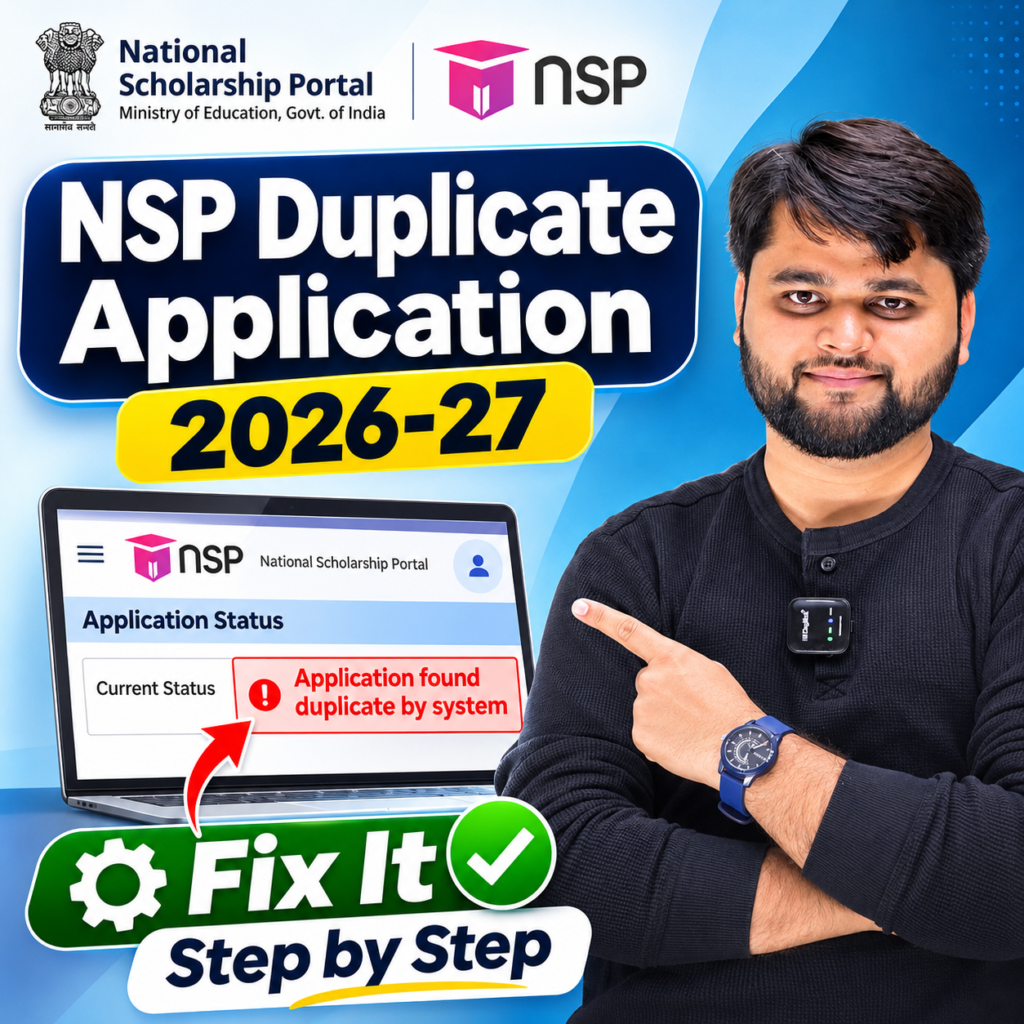
What Does “Application Found Duplicate by System” Mean on NSP?
When you submit an application on the National Scholarship Portal, the system does not simply store it. It runs automatic checks and compares important identity and bank details against the records already in its database. If one or more of those details match another application, your application gets flagged.
In simple words, the portal is saying: “This student may already have applied, or this identity already exists in my records.”
Quick answer: NSP shows “application found duplicate by system” when your Aadhaar, bank account, or personal details match another application already in the portal. To fix it, check your earlier applications, confirm one active registration, and raise a grievance on scholarships.gov.in with proof.
What the system usually compares
- Aadhaar number or Aadhaar-linked identity
- Bank account number and IFSC code
- Student name, date of birth and parent or guardian details
- Mobile number and email used during registration
- Course, institute and academic year combination
- Scheme name, to see whether you applied for the same benefit twice
Why this matters
A duplicate flag is a system-generated message. No officer has personally judged you or rejected you. This is important because it means the issue can often be solved with a correction, a verification by the institute, or a properly written grievance.
At the same time, do not ignore it. If you leave a duplicate flag untouched, the application can stay stuck at the verification stage until the deadline passes, and that is where many students lose a year.
The difference between “duplicate” and “rejected”
Many students confuse these two. They are not the same.
- Duplicate: The system suspects a repeat or matching record. The case may be recoverable.
- Rejected: An officer or authority has reviewed the application and declined it, usually with a stated reason.
Always read the remarks column carefully, because the remark tells you which path you are on.
Quick Summary
| Point | Details |
|---|---|
| Error message | Application found duplicate by system |
| Where you see it | Application status after logging in on NSP |
| Who flags it | Automatic NSP system check |
| Is it final rejection? | Not always. Many cases can be corrected |
| Common causes | Repeat registration, same bank account, same Aadhaar, double application for the same scheme |
| Who can help | Institute Nodal Officer (INO), District Nodal Officer (DNO), NSP helpdesk |
| Best first step | Find out how many applications or registrations exist under your name |
| What not to do | Do not create another fresh application |
| Official portal | scholarships.gov.in |
Why Does the NSP Duplicate Error Happen in 2026-27?
Understanding the cause is half the solution. Here are the situations that trigger this problem most often.
1. You registered more than once
This is the number one reason. A student creates an account in Class 9, forgets it, and registers again in Class 11 using the same Aadhaar and bank details. The system now sees two registrations with identical data and flags the newer one.
2. You applied as “fresh” when you should have applied as “renewal”
Renewal students must continue under their existing login. If a renewal student starts a new fresh application, the system treats it as a second application for the same benefit.
3. The same bank account is used by more than one student
This happens a lot with siblings, or when a parent’s account is used for two or more children. Because scholarship money is paid by direct benefit transfer to the student’s own account, a shared account can trigger a mismatch or duplicate alert.
4. Small data differences across applications
A spelling difference in your name, a different date of birth in an old record, a changed mobile number, or an Aadhaar name that does not match your school record can all confuse the matching process.
5. Change of school or college
If you moved to a new institute, your old application may still be active under the previous institute. When the new one is submitted, both are visible to the system.
6. Errors made by a cyber cafe or agent
When someone else fills the form, they may create a brand-new registration without asking whether you already have one. Many students learn about this only when the duplicate message appears.
7. Applying for overlapping schemes
Some students apply to more than one scheme that the system treats as overlapping. Eligibility rules differ by scheme, so always read the scheme guidelines before applying to a second one.
8. Aadhaar or bank seeding problems
If Aadhaar is not properly linked or seeded with the bank account, verification can fail or produce confusing matches during the check.
If you recognise your case in this list, you are already halfway to the fix.

How to Fix “NSP Application Found Duplicate by System” Step by Step
Do not panic, and do not make a new application. A new application usually makes the problem bigger. Follow this order instead.
Step 1: Log in and read your status carefully
Open the official portal and log in with your application ID and password. Check the status, the remarks and the scheme name. Take a screenshot straight away.
Step 2: Find every registration linked to you
Think back. Have you applied in earlier years? Did you use a different mobile number or email? Did anyone else fill a form for you? Write down every application ID you can find. Your aim is to identify the original, valid application.
Step 3: Decide which application should stay active
In most situations, the older application that was already verified, approved or paid is the one to continue. This is especially true for renewal students. The newer, repeated entry is usually the one to be closed.
Step 4: Meet your institute nodal officer
Take a printout of the application, your ID proof and your fee receipt to your school or college scholarship in-charge. Ask them to check the application from their login and to confirm what remarks the system shows. In many cases the officer can verify, forward or correct the record.
Step 5: Raise a grievance on NSP
If the issue is not solved at the institute level, file a grievance on the portal. Explain the problem briefly, say what you want, and attach proof. Save the grievance reference number.
Step 6: Follow up regularly
Check the status every few days. Keep every screenshot, message and reference number in one folder. If you are asked for extra documents, submit them quickly, because delays can push your case past the verification window.
Step-by-Step Process
| Step | What to Do | Documents or Details Needed |
|---|---|---|
| 1 | Log in and check status and remarks | Application ID, password |
| 2 | Identify all earlier registrations | Old application IDs, old mobile numbers, old emails |
| 3 | Choose the valid application to keep | Previous approval or payment proof |
| 4 | Meet the institute nodal officer | Application printout, ID proof, fee receipt |
| 5 | Raise a grievance on NSP | Aadhaar, bank passbook, marksheet, fee receipt, screenshots |
| 6 | Track and follow up | Grievance reference number, dated screenshots |
Documents to keep ready
Having these in one folder saves a lot of time:
- Aadhaar card (the name should match your school records)
- Bank passbook first page showing account number, IFSC and your name
- Previous year marksheet
- Income certificate, if your scheme needs it
- Fee receipt or bonafide certificate
- Screenshots of the duplicate message
- Earlier NSP application IDs
What if you cannot find your old login?
Use the forgot password or recovery option with your registered details. If you no longer have access to that mobile number or email, tell your institute nodal officer or raise a grievance explaining the situation. Never create a new registration just because you forgot a password.
What to Do If the Institute or Nodal Officer Does Not Help
Sometimes you will hear, “It is a portal problem, we cannot do anything.” That does not close your case. Here are the practical options.
Write it down
Submit a written request to the institute and keep a signed or stamped copy for yourself. A written request creates a record, and officers respond faster when something is on paper.
Go one level up
If the institute is not responding, approach the District Nodal Officer for your area. Carry your documents and previous correspondence.
Use the official helpdesk and grievance system
The portal provides contact options and a grievance system. Use the details listed on the official Contact Us page rather than numbers from random websites or social media posts, because scam pages often copy scholarship names.
Raise a fresh grievance when needed
If your earlier grievance was closed without a proper explanation, raise a new one. Mention the old reference number and ask for a specific action.
How to write a grievance that works
A short, factual grievance gets better attention than a long emotional one. Include:
- Your full name and application ID
- The scheme name and academic year
- The exact status message, for example “application found duplicate by system”
- A one-line explanation of what happened (for example, “I registered earlier in 2024 and my new application was flagged”)
- What you want, such as “Please verify my original application and remove the duplicate flag”
- Attached proof
Who to contact and when
| Situation | First Contact | Next Step |
|---|---|---|
| Duplicate flag just appeared | Institute Nodal Officer | NSP grievance |
| Institute says nothing can be done | District Nodal Officer | NSP helpdesk |
| Grievance closed without answer | Raise a new grievance | Written follow-up to the officer |
| Old login lost | Recovery option on portal | Institute officer and helpdesk |
For readers who prefer a quick walkthrough, this video explains the full process step by step.
NSP Scholarship 2026-27 Apply and Latest Update
Many students who search for the duplicate error are also asking, “Is NSP still open? What is the latest update?” Here is what you should know and how to stay safe.
Dates and schemes keep changing
NSP hosts many scholarships, including central schemes, ministry-specific schemes and state-linked schemes. Each has its own opening date, closing date and verification timeline. Extensions happen, but not for every scheme. Always confirm the date for your scheme on the official National Scholarship Portal before relying on a news post, a YouTube thumbnail or a social media claim.
Before you apply: a clean checklist
- Check whether you already have an account from an earlier year
- Use the same Aadhaar-linked details everywhere
- Make sure the bank account is in the student’s own name and is ready for DBT
- Keep income certificate, marksheets, fee receipt and passbook scanned and ready
- Verify that your mobile number and email are working
- Do not apply twice “just to be safe”
If you are a renewal student
Choose renewal and use your existing login. Starting a fresh application is the single most common reason for a duplicate flag.
If you are a new applicant
Confirm that you have never registered before. If you are unsure, try the recovery option with your details before creating anything new.
After you apply
Take a screenshot of the final submission page and note down your application ID. Then follow up with your institute for verification. An application that is not verified in time can be rejected even when you filled everything correctly.
Latest update summary
- Duplicate flags are being reported by students across several schemes this session
- The safest path is to keep the original application and clear the repeated one through the institute and a grievance
- Always rely on the official portal for dates, instructions and notices
Always confirm your scheme’s date on the official National Scholarship Portal before relying on any news post.
If you are also eligible for school-level schemes, check the latest dates in our guide on NMMS Scholarship 2026-27 last date extended so you do not miss another opportunity.
Problem vs Solution
| Problem | Likely Reason | Solution |
|---|---|---|
| Duplicate flag after a fresh application | Already registered earlier | Use the old login, apply as renewal, raise a grievance for the new entry |
| Same bank account flagged | Sibling or parent account shared | Use a separate account for each student or get it verified by the institute |
| Name or date of birth mismatch | Spelling or data differences | Correct details with institute support and updated documents |
| Duplicate after changing college | Old institute record still active | Ask both institutes to update or close the old record |
| Duplicate via cyber cafe form | Agent created a new registration | Recover the old login, keep one application, grievance for the extra one |
| Aadhaar not matching | Aadhaar name or DOB differs from school record | Update the record and attach supporting documents |
| Grievance closed without reply | Incomplete details | Raise a new grievance with proof and a clear request |
| Status unchanged for weeks | Pending at institute or district level | Follow up in writing with the nodal officer |
Common Mistakes Students Make (Bonus Section for Dwell Time)
Avoiding these can save you weeks:
- Creating a new account every year. One student, one registration. Use the same login.
- Trusting random “helpers” online. Never share your password or OTP with anyone claiming they can remove the duplicate flag for a fee.
- Ignoring the remarks column. The remark often tells you what to fix.
- Waiting too long. Verification windows close. Act the day you see the flag.
- Uploading blurry documents. Unclear scans create new rejection reasons.
- Giving a wrong or shared bank account. Use your own active account with the correct IFSC.
- Not saving proof. Without screenshots and reference numbers, you cannot show what you did and when.
NSP shows “application found duplicate by system” when your Aadhaar, bank account, or personal details match another application already in the portal. To fix it, check your earlier applications, confirm one active registration, and raise a grievance on scholarships.gov.in with proof.
FAQ
What does “NSP application found duplicate by system” mean?
It means the portal detected matching details, such as Aadhaar or bank account, with another application. It is an automatic flag and not always a final rejection.
Can I still get my scholarship if my application is marked duplicate?
Yes, in many cases. If you show that one valid application belongs to you and the other is a repeat entry, the correct one can continue. The outcome depends on verification and the response from your institute.
Should I create a new application to solve the duplicate error?
No. A new application often creates yet another duplicate. Use your existing login and raise a grievance instead.
Who can resolve the duplicate issue on NSP?
Your Institute Nodal Officer is the first contact. If that does not work, the District Nodal Officer and the NSP helpdesk and grievance system can help.
How long does it take to fix a duplicate application?
There is no fixed time. Simple cases may be sorted in a few days to a couple of weeks, while others take longer. Following up with proof speeds things up.
Can two siblings use the same bank account on NSP?
It can cause a duplicate or mismatch flag. It is safer for each student to have a separate account in their own name.
I forgot my old NSP login. What should I do?
Use the forgot password or recovery option with your registered details. If that fails, ask your institute or contact the helpdesk to help trace your earlier application.
Conclusion
Seeing “application found duplicate by system” can feel like the end of the road, but it usually is not. In most cases it points to a repeat registration, a shared bank account or a small data mismatch, and all of these can be sorted out with patience and the right paperwork.
The golden rules are simple. Do not apply again. Find your original application. Talk to your institute officer. Raise a clear grievance with proof. Keep screenshots, note every reference number, and check the official portal regularly for updates.
Scholarship money matters, and a small technical flag should not cost you a year. Stay calm, stay organised, and act early.
If this guide helped, share it with a friend who is stuck at the same step. And if your situation is different, leave a comment with your problem and we will try to point you in the right direction.