
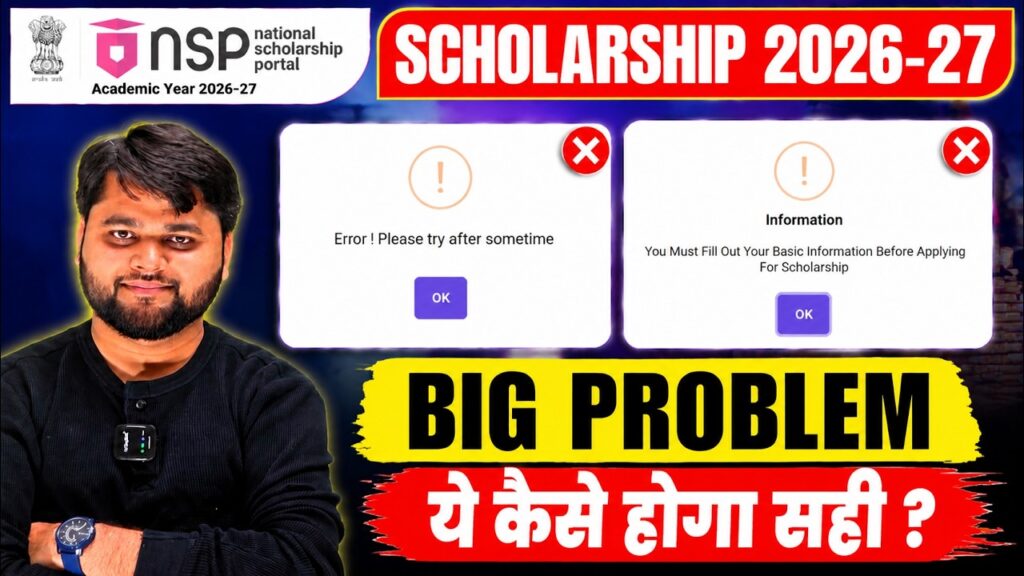
NSP Scholarship Renewal 2026-27 Error Fix | National Scholarship Portal 2026-27 Renewal Kaise Kare?
Introduction
Thousands of students have started searching for NSP Scholarship Renewal 2026-27 Error Fix because many renewal applicants are facing unexpected technical issues on the National Scholarship Portal. While some students can log in successfully, others are unable to proceed with their renewal application due to different errors appearing during the process.
If you are also wondering NSP Scholarship Renewal 2026-27 kaise kare, why your renewal form is showing an error, or how to complete the renewal application without losing your scholarship, this guide will help you.
The good news is that not every error means your scholarship has been rejected. In most cases, these problems are related to portal updates, incomplete profile information, server issues, or temporary technical glitches. Many students have already resolved these issues simply by following the correct procedure.
In this detailed guide, you will learn:
- Who is eligible for NSP Scholarship Renewal 2026-27
- Why renewal errors are appearing
- How to fix every common renewal problem
- What to do if the portal shows technical errors
- When you should contact the NSP Helpdesk
- Important precautions before submitting the renewal application
Instead of trying random solutions from different websites or social media posts, follow this complete guide carefully. It explains every important step in simple language so that you can complete your renewal application with confidence.
NSP Scholarship Renewal 2026-27 Error Fix: What Is Happening?
Many students expected the renewal process to be as simple as previous years. However, after logging into the National Scholarship Portal, several applicants noticed unexpected issues while trying to submit their renewal forms.
Some students successfully access their dashboard but cannot move to the next step. Others receive popup messages asking them to complete basic information even though their profile already appears complete. In a few cases, the renewal option itself is unavailable.
After reviewing multiple student cases, it becomes clear that these are not isolated problems. Several renewal applicants are experiencing similar technical issues, especially under the Department of Higher Education scholarship schemes.
The important thing to understand is that these errors do not necessarily indicate rejection. Most of them are system-related and can often be resolved by following the correct process or waiting for the portal to synchronize updated information.
Before making unnecessary profile changes or creating a new registration, students should first identify the exact type of error they are facing.
| Topic | Details |
| Scholarship | NSP Scholarship Renewal 2026-27 |
| Application Type | Renewal Students |
| Common Problem | Renewal form not opening |
| Another Issue | Basic Information popup |
| Technical Error | Try Again After Some Time |
| Major Reason | Portal synchronization |
| Solution | Update Basic Information & Save |
| Additional Help | Contact NSP Helpdesk |
| Official Website | National Scholarship Portal |
| Renewal Deadline | As per latest official notification |
Who Can Apply for NSP Scholarship Renewal 2026-27?
The renewal application is only meant for students who have already received the scholarship in the previous academic session and continue to satisfy the eligibility conditions.
You should apply through the renewal option if:
- You received the NSP Scholarship last year.
- You have been promoted to the next academic year.
- Your institution continues to support your scholarship.
- Your Aadhaar and bank details remain valid.
- Your course is still eligible under the same scholarship scheme.
Students applying for the first time should not choose the renewal option. Instead, they must submit a fresh application through the National Scholarship Portal.
Many students accidentally attempt to register as fresh applicants despite already being scholarship beneficiaries. Doing so can create verification issues and may delay processing. Always select the correct application category based on your previous scholarship status.
Why Are Renewal Students Facing More Issues This Year?
Unlike fresh registrations, renewal applications depend on data already stored in the NSP database. The system verifies previous academic records, institution verification, Aadhaar authentication, bank validation, and scholarship history before allowing students to proceed.
If any of these records fail to synchronize properly, the portal may display unexpected errors even though the student’s information is correct.
Some of the most reported issues include:
- Renewal option not appearing
- Basic Information error
- Unable to proceed after login
- Save & Next button not working
- Server timeout
- Technical error after clicking Continue
- Renewal application page not loading
Basic Information Error in NSP Scholarship Renewal 2026-27 – How to Fix It?
One of the most common issues reported by renewal applicants this year is a popup message that appears immediately after logging into the National Scholarship Portal.
The message usually says something similar to:
“You must fill Basic Information before applying for scholarship.”
At first glance, this message is confusing because most students have already completed their profile while applying in the previous academic year. Many even check their profile and find that all mandatory details are already available.
So why does this error still appear?
The answer is that, in many cases, this is not a mistake made by the student. It is usually caused by the portal asking you to re-save or re-sync your existing profile information before allowing you to continue with the renewal application.
Based on multiple student cases and practical testing, this problem can often be solved without creating a new account or changing your scholarship details.
Why Does the Basic Information Error Appear?
The National Scholarship Portal verifies your profile every time you begin a renewal application. During this process, it checks whether your personal details, academic information, Aadhaar-linked data, and previous records are properly synchronized.
If the system finds that one section has not been refreshed after the latest portal update, it may stop the application and display the Basic Information error.
This can happen even if:
- Your profile looks complete.
- You received the scholarship last year.
- All mandatory fields are already filled.
- Your institution has verified your details.
- Your Aadhaar authentication was successful.
In simple words, the information exists, but the system wants you to save it again so that it can update its latest records.
How to Fix the Basic Information Error
Instead of repeatedly clicking the Proceed button, follow these steps carefully.
Step 1: Log in to Your NSP Account
Sign in using your OTR ID and password through the National Scholarship Portal.
After logging in, do not immediately open the renewal application.
Step 2: Open the Basic Information Section
From your dashboard, locate the Basic Information section.
Open it and carefully review every field.
Do not assume everything is correct just because it was filled last year. Spend a few minutes checking the details one by one.
Pay special attention to:
- Name
- Date of Birth
- Gender
- Aadhaar details
- Mobile number
- Email address
- Category
- Domicile
- Parent details
Even if nothing needs to be changed, reviewing the information is important.
Step 3: Click “Save & Next”
Once you have checked all the details, click Save & Next.
This step forces the portal to refresh your profile data.
Many students reported that after saving the Basic Information again, the renewal application started working normally.
Step 4: Continue to the Next Page
If the system successfully saves your information, continue with the remaining sections of your renewal application.
In many cases, the popup message disappears automatically after this step.
What If the Error Still Appears?
Some students have already tried the above method but still receive the same popup.
If that happens, don’t panic.
It does not automatically mean your scholarship has been rejected.
There are several possible reasons behind this situation.
For example:
- The portal may still be synchronizing your previous year’s data.
- The renewal module may still be under maintenance.
- Your scholarship scheme may not be fully activated.
- Your profile changes may not have been updated on the server yet.
If you continue receiving the same message after trying multiple times on different browsers and devices, the issue is likely from the portal itself rather than your application.
Try Again After Some Time” Error in NSP Renewal 2026-27
Another error that thousands of students are reporting is the message:
“Error. Try Again After Some Time.”
This message usually appears after completing the Basic Information page and clicking Save & Next.
The page begins loading normally but suddenly stops and displays the error.
Naturally, many students think they made a mistake while filling out the form.
However, that is rarely the actual reason.
Try Again After Some Time” Error in NSP Renewal 2026-27
Another error that thousands of students are reporting is the message:
“Error. Try Again After Some Time.”
This message usually appears after completing the Basic Information page and clicking Save & Next.
The page begins loading normally but suddenly stops and displays the error.
Naturally, many students think they made a mistake while filling out the form.
However, that is rarely the actual reason.
Why Does This Error Occur?
This message is generally associated with server-side technical issues.
When thousands of students access the renewal portal simultaneously, the server may temporarily fail to process requests.
Other possible reasons include:
- Heavy traffic on the NSP website.
- Temporary server maintenance.
- Database synchronization.
- Session timeout.
- Internal portal updates.
Since the problem occurs on the server, refreshing the page repeatedly usually does not solve it.
Should You Keep Clicking Again and Again?
No.
Repeatedly refreshing the page or clicking the Save button dozens of times is not recommended.
Doing so may create duplicate requests and increase the chances of session errors.
Instead, follow a more systematic approach.
What You Should Do Instead
If you receive the “Try Again After Some Time” message:
- Wait for 30–60 minutes before trying again.
- Log out of your account properly.
- Clear your browser cache.
- Log in again using a stable internet connection.
- Use an updated browser such as Chrome, Edge, or Firefox.
- Avoid using multiple tabs of the NSP portal simultaneously.
- Try applying during non-peak hours, such as early morning or late evening.
Many students have successfully completed their renewal application simply by retrying after the server load reduced.
Avoid Unnecessary Changes in Your Renewal Application
One mistake many students make is editing information without any valid reason.
After seeing an error, they begin changing details such as:
- Annual income
- Father’s name
- Address
- Academic details
- Bank information
They hope that changing something will make the error disappear.
Unfortunately, this often creates new verification problems.
If your previous information was already correct, avoid making unnecessary modifications.
Only update details that have genuinely changed and are supported by valid documents.
Keeping your information accurate and consistent helps the verification process move smoothly.
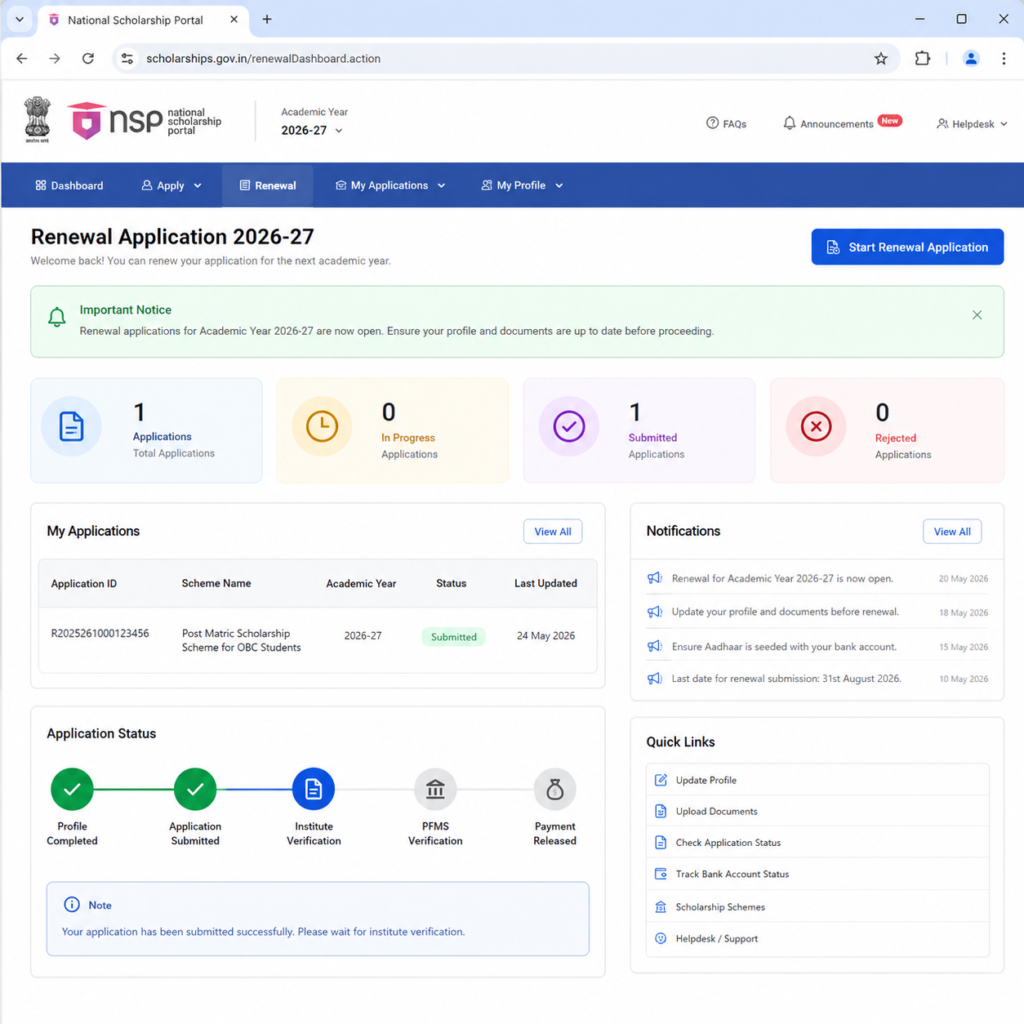
NSP Scholarship Renewal Option Not Showing? Here’s Why and How to Fix It
One of the biggest concerns among students this year is that after logging into the National Scholarship Portal, they cannot find the Renewal option at all.
Instead of seeing the renewal application button, the dashboard either appears blank, only displays profile-related options, or shows messages that prevent students from proceeding further.
If you’re facing the same issue, don’t assume your scholarship has been cancelled. In many cases, the renewal option is hidden due to eligibility checks, portal updates, or pending verification.
Let’s understand the possible reasons one by one.
Common Mistakes That Delay NSP Scholarship Renewal
Many renewal issues are caused by avoidable mistakes rather than technical faults.
Here are some of the most common errors students make during the renewal process.
Ignoring Profile Review
Some students log in and immediately click Proceed without reviewing their profile.
Even if your details appear correct, reviewing each section before submission helps ensure that no mandatory field has been left incomplete after portal updates.
Using an Outdated Browser
Older browser versions may not support the latest portal features properly.
Always use an updated version of Chrome, Microsoft Edge, or Firefox for a smoother experience.
Applying During Peak Hours
Most students access the portal during the evening or immediately after a new announcement.
Heavy traffic can slow down the website or generate temporary server errors.
If possible, try completing your renewal application early in the morning or during non-peak hours.
Ignoring Error Messages
Many applicants close error popups without reading them carefully.
Instead, note the exact message displayed on the screen.
Different errors indicate different issues, and identifying the correct message makes troubleshooting much easier.
Changing Information Repeatedly
Repeatedly editing your personal information can create inconsistencies between your current application and previous scholarship records.
Update only those fields that genuinely require correction.
When Should You Contact the NSP Helpdesk
National Scholarship Portal Official Website
NSP Scholarship 2026-27 Cut-Off List: Latest Merit & Payment Update
Step-by-Step NSP Scholarship Renewal Process
| Step | Action | Why It Matters |
|---|---|---|
| 1 | Log in using your OTR ID | Access your renewal dashboard securely. |
| 2 | Verify Basic Information | Ensures your profile is synchronized with the latest portal data. |
| 3 | Review academic details | Confirms your promotion and course information are accurate. |
| 4 | Check bank account details | Prevents payment-related issues later. |
| 5 | Click Save & Next | Refreshes your profile and helps resolve basic information errors. |
| 6 | Complete all remaining sections | Avoids incomplete application status. |
| 7 | Review the entire application | Helps identify any missing or incorrect information. |
| 8 | Submit the renewal form | Finalizes your application for verification. |
| 9 | Download the acknowledgment | Useful for future reference and tracking. |
| 10 | Track application status regularly | Stay informed about verification and payment updates. |
FAQs
How can I renew my NSP Scholarship for 2026-27?
Log in to the National Scholarship Portal using your OTR ID and password, open the renewal application, verify your profile details, complete all required sections, and submit the form before the official deadline.
Why am I getting the “You must fill Basic Information before applying” error?
This error usually occurs when your profile information needs to be re-saved or synchronized with the portal. Open the Basic Information section, review your details, click Save & Next, and then try accessing the renewal form again.
What should I do if the NSP portal shows “Try Again After Some Time”?
This is generally a temporary server or technical issue. Wait for some time, log in again, clear your browser cache if necessary, and retry during non-peak hours. If the issue continues for several days, contact the NSP Helpdesk with screenshots.
Why is the renewal option not showing on my NSP dashboard?
The renewal option may not appear if your scholarship scheme has not been fully activated, your previous year’s verification is pending, or the portal is undergoing maintenance. Check your eligibility and monitor official announcements regularly.
Can I apply as a fresh candidate if the renewal option is unavailable?
No. Students who received the scholarship in the previous academic session should normally apply through the renewal option. Registering as a fresh applicant without official instructions may lead to duplicate applications or verification issues.
Which documents should I keep ready before applying for NSP Scholarship Renewal 2026-27?
Keep your Aadhaar Card, OTR ID, previous application details, latest marksheet, income certificate (if applicable), bank passbook linked with Aadhaar, admission or promotion proof, and other scheme-specific documents ready before starting the renewal process.
Conclusion
Completing the NSP Scholarship Renewal 2026-27 application may seem challenging when unexpected errors appear, but most issues can be resolved by following the correct process. Whether you’re facing the Basic Information popup, the “Try Again After Some Time” message, or the renewal option is not visible, avoid making unnecessary changes to your profile or creating a fresh application without official guidance.
Before submitting your renewal form, carefully review your personal details, academic information, and bank account records. If the problem is technical and continues despite trying the recommended solutions, contact the NSP Helpdesk with proper screenshots and complete information. Acting early is always better than waiting until the last date.
Most importantly, rely only on official announcements from the National Scholarship Portal and trusted sources for updates. By staying informed and following the correct renewal procedure, you can complete your application smoothly and improve your chances of receiving your scholarship without unnecessary delays.




One Response