National Scholarship Portal Renewal 2026-27 Revoke Problem | Complete NSP Scholarship 2026-27 Renewal Apply Guide
Introduction
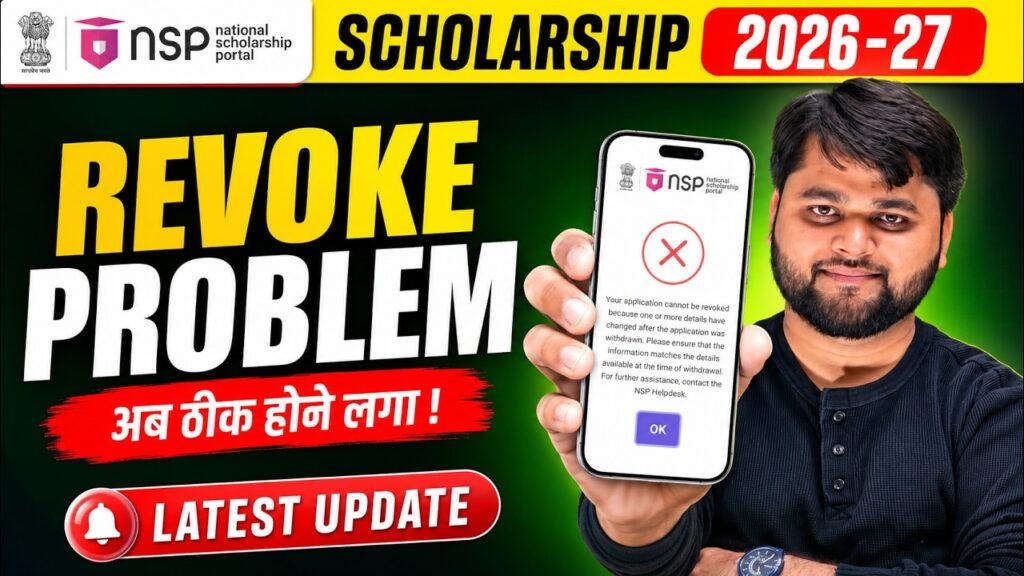
Thousands of students are currently facing the National Scholarship Portal Renewal 2026-27 Revoke Problem while trying to complete their NSP Scholarship 2026-27 Renewal Apply process. Instead of allowing the application to continue, the portal displays an error stating that the renewal application cannot be revoked because one or more basic details have changed after the withdrawal request was submitted.
If you are also seeing messages like “Your Application Cannot Be Revoked”, “Basic Details Mismatch”, or your renewal application is stuck after withdrawal, don’t worry. This issue has affected many NSP renewal applicants during the 2026-27 application cycle.
In this detailed guide, you’ll learn:
- Why the revoke error appears on the National Scholarship Portal
- The official reason mentioned in the NSP FAQ section
- How to restore your application correctly
- What to do if the revoke option still doesn’t work
- When you should contact the NSP Helpdesk
- Important precautions before submitting your renewal application
By the end of this article, you’ll have a clear understanding of the problem and the best possible solutions to continue your scholarship renewal without making further mistakes.
What is the National Scholarship Portal Renewal 2026-27 Revoke Problem?
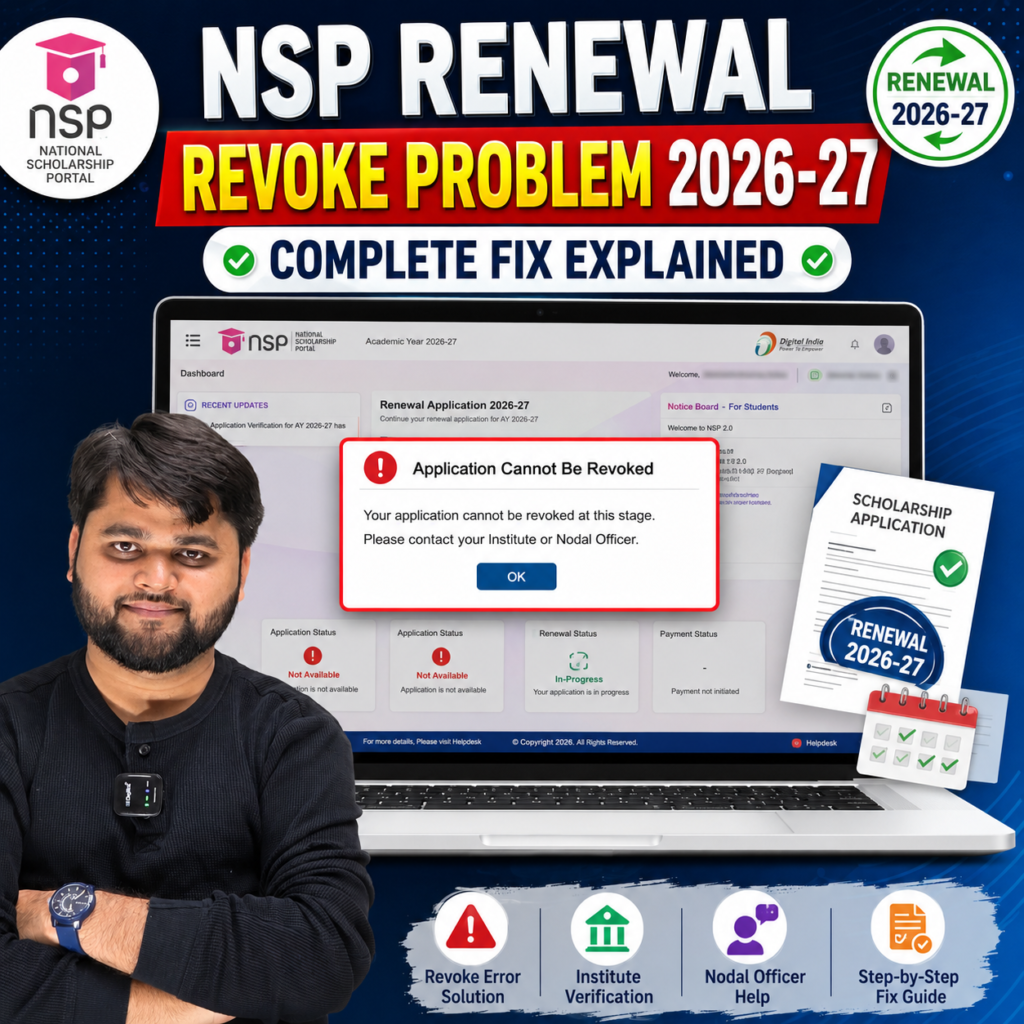
Many students who had previously withdrawn their renewal application are now unable to restore it. When they click the Revoke button, the NSP portal shows an error instead of allowing the application to continue.
The error generally appears because the portal detects that one or more basic registration details were modified after the application was withdrawn.
Common error messages include:
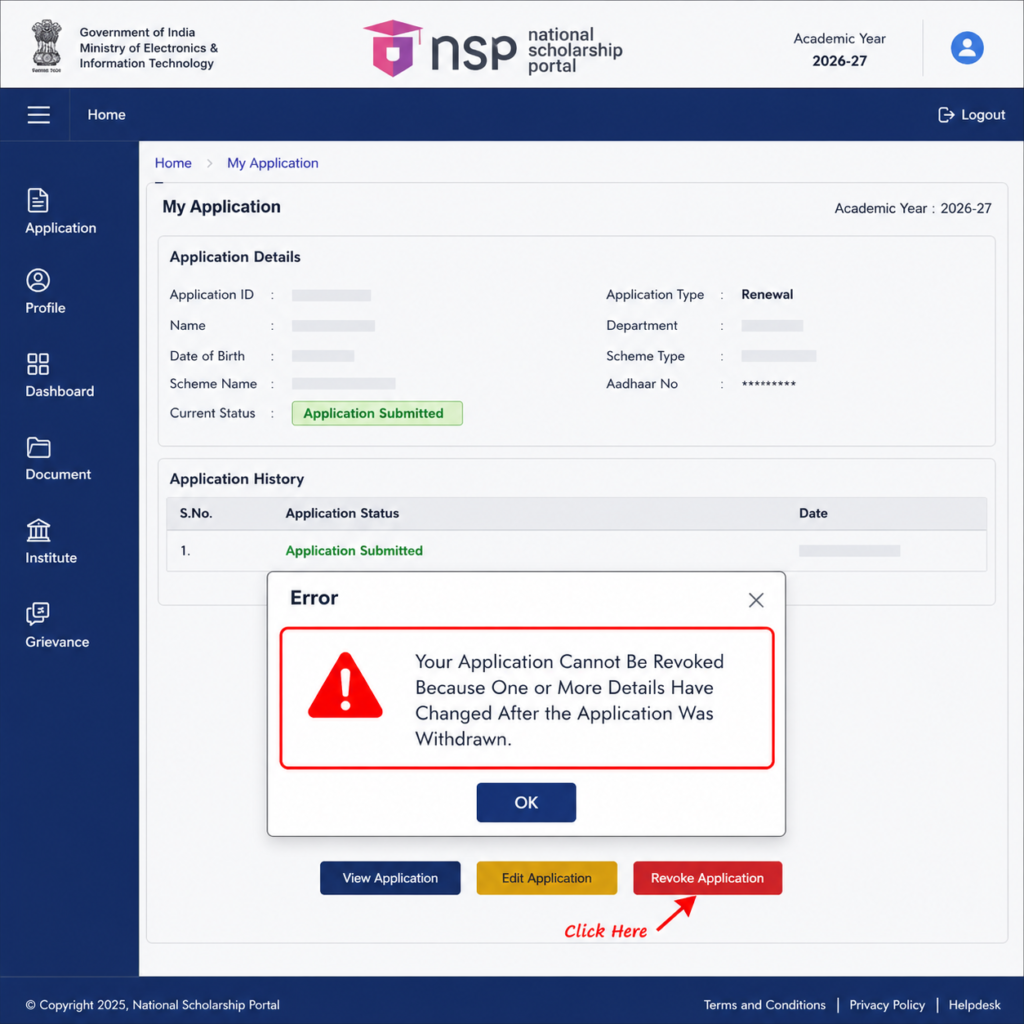
- Your Application Cannot Be Revoked
- One or More Details Have Changed
- Basic Details Mismatch
- Please Restore Original Information
- Contact NSP Helpdesk
This issue has become one of the most common technical problems during the National Scholarship Portal 2026-27 Renewal process.
Fortunately, in many cases, the application is not permanently rejected. The problem is usually related to profile information or a temporary system validation issue.
The National Scholarship Portal Renewal 2026-27 Revoke Problem occurs when a student tries to revoke a withdrawn renewal application after changing basic registration details. The NSP system blocks the revoke request until the original information is restored or the issue is resolved through the NSP Helpdesk.
Quick Summary
| Topic | Details |
|---|---|
| Problem | Renewal Application Cannot Be Revoked |
| Portal | National Scholarship Portal (NSP) |
| Academic Session | 2026-27 |
| Affected Users | Renewal Applicants |
| Main Reason | Basic details changed after withdrawal |
| Error Message | Application Cannot Be Revoked |
| Can it be Fixed? | Yes, in many cases |
| First Solution | Restore original profile details |
| Second Solution | Retry after refreshing/login |
| Final Solution | Contact NSP Helpdesk with screenshot |
Why Does the NSP Renewal Revoke Error Appear?
The National Scholarship Portal validates several important details before allowing students to restore a withdrawn renewal application.
If any of the original information no longer matches the records that existed before withdrawal, the system immediately blocks the revoke request.
Some of the most common reasons include:
1. Basic Details Were Modified
Students often update information such as:
- Name
- Father’s Name
- Mother’s Name
- Gender
- Category
- Date of Birth
- Aadhaar-linked information
Even a minor mismatch can prevent the revoke process.
2. Academic Information Was Changed
Many students edit:
- College Name
- Course
- Admission Year
- Roll Number
- Previous Academic Details
If these details no longer match the information saved before withdrawal, the portal may reject the revoke request.
3. Renewal Was Withdrawn After Editing
According to the NSP FAQ, if you first changed your basic details and then submitted the withdrawal request, the portal expects those details to remain exactly the same while revoking.
Any additional modification after withdrawal can trigger the error.
4. Temporary Technical Validation
Several students have reported that:
- The error appears on one device.
- After trying again later or using another browser or mobile phone, the revoke option works successfully.
This indicates that some cases may also involve temporary portal validation issues.
5. Multiple Fresh Applications
Another common mistake is applying as a Fresh Candidate instead of selecting Renewal.
This creates confusion in the system because the student already has an existing scholarship record.
Before applying again, always verify whether you are eligible for NSP Scholarship Renewal 2026-27 Apply instead of submitting a fresh application.
Important Tip
If you made changes recently, compare your current profile with the previous year’s scholarship application or printed acknowledgement. Restoring the original details often resolves the revoke mismatch error without needing additional corrections.
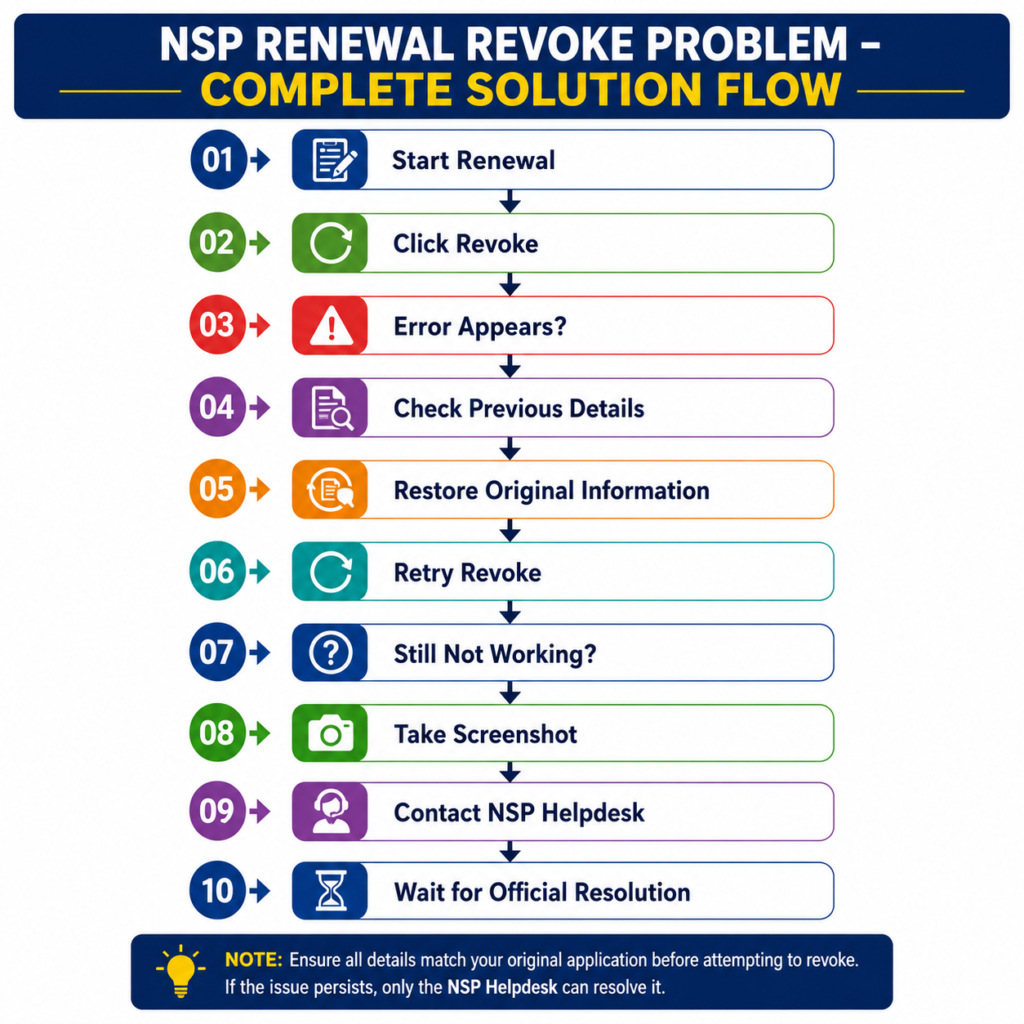
How to Fix the National Scholarship Portal Renewal 2026-27 Revoke Problem
If you’re seeing the message “Your Application Cannot Be Revoked”, don’t panic. In most cases, this doesn’t mean your scholarship has been rejected. It simply means the NSP system has detected a mismatch between your current profile and the details that existed when the application was withdrawn.
The good news is that many students have successfully resolved this issue by following the correct steps instead of repeatedly submitting fresh applications.
Let’s go through the process carefully.
Step 1: Don’t Apply as a Fresh Candidate Again
One of the biggest mistakes students make is applying as a Fresh Applicant after facing the revoke error.
If you received the scholarship in the previous academic year, you should normally apply through the Renewal option. Creating another fresh application can cause duplicate records and make the issue even more complicated.
Before doing anything else, confirm that you’re using the correct renewal application.
Step 2: Compare Your Current Details with Last Year’s Application
According to the NSP help information, the revoke request may fail if your basic details have changed after the application was withdrawn.
Open your previous year’s:
- Application printout
- Acknowledgement receipt
- Saved PDF
- Scholarship records
Now compare details such as:
- Student Name
- Father’s Name
- Mother’s Name
- Date of Birth
- Gender
- Category
- Aadhaar details
- Institute information
- Course details
Even a small spelling difference can trigger the validation error.
Step 3: Restore the Original Information
If you find any mismatch, update the information so it matches the details that existed before you withdrew the application.
Many students have reported that once the original details were restored, the revoke option started working normally.
Avoid making unnecessary edits unless they are absolutely required.
Step 4: Try the Revoke Option Again
Once you’ve verified your information:
- Log out of the portal.
- Wait a few minutes.
- Log in again.
- Open your renewal application.
- Click Proceed.
- Select Revoke.
- Accept the consent declaration.
- Submit the request.
Sometimes the portal accepts the revoke request after the profile has been corrected.
Step 5: Try a Different Browser or Device
This may sound simple, but it has worked for several students.
If the revoke option isn’t responding:
- Try Google Chrome or Microsoft Edge.
- Clear your browser cache.
- Use Incognito Mode.
- Log in from another mobile phone or computer.
- Avoid opening multiple NSP tabs simultaneously.
Some users have reported that the same application worked successfully on another device without making any additional changes.
While this isn’t an official fix, it’s worth trying before contacting the helpdesk.
Step 6: Take a Screenshot of the Error
If the error still appears, don’t ignore it.
Capture a screenshot showing:
- Error message
- Application ID
- Date and time (if visible)
This screenshot will be useful when explaining your issue to the NSP Helpdesk.
Windows users can press Windows + Shift + S, while mobile users can simply use the screenshot option on their phone.
Keeping evidence of the error often helps the support team understand the problem more quickly.
Step 7: Contact the NSP Helpdesk
If none of the above steps work, the issue is likely related to the portal’s backend validation.
In that case:
- Contact the NSP Helpdesk during working hours.
- Explain the revoke error clearly.
- Attach the screenshot.
- Mention your Application ID and OTR number.
- If applicable, copy (CC) your concerned scholarship ministry in the email.
Providing complete information in your first email can reduce unnecessary back-and-forth communication.
Step-by-Step Process to Resolve the NSP Renewal Revoke Issue
| Step | What You Should Do | Why It Matters |
|---|---|---|
| 1 | Open your Renewal Application | Access the correct scholarship record |
| 2 | Compare with last year’s application | Identify any mismatched details |
| 3 | Restore original information | Matches the data saved before withdrawal |
| 4 | Log in again and retry Revoke | Refreshes the application session |
| 5 | Try another browser or device | Rules out browser-related issues |
| 6 | Capture the error screenshot | Helpful evidence for support |
| 7 | Contact NSP Helpdesk | Required if the issue is technical |
| 8 | Wait for official guidance | Prevents incorrect resubmissions |
What If the Revoke Error Still Doesn’t Go Away?
Even after restoring your details, some students continue to see the same message. If that’s happening to you, don’t assume your scholarship is permanently lost.
There have been cases where the issue was caused by a temporary validation problem on the National Scholarship Portal itself. In such situations, repeated attempts after some time have worked for a few applicants.
However, if the error continues for several days, avoid making random changes to your profile. Repeated edits can create additional mismatches and make troubleshooting more difficult.
Instead, focus on documenting the issue and reporting it properly.
Here’s what you should include when contacting the support team:
- Application ID
- OTR Number
- Registered mobile number
- Registered email address
- Screenshot of the revoke error
- Brief explanation of when the issue started
Being specific increases the chances of receiving an accurate response.
For readers who prefer a quick walkthrough, this video explains the full process step by step.
Common NSP Renewal Revoke Problems and Their Solutions
During the National Scholarship Portal 2026-27 Renewal process, students may face different errors apart from the revoke issue. Some are caused by incorrect profile information, while others are temporary technical glitches on the portal.
Before making unnecessary changes or creating a new application, identify the exact problem and follow the recommended solution.
Doing so can save you time and prevent your renewal application from getting delayed.
NSP Renewal Problems vs Solutions
| Problem | Possible Reason | Recommended Solution |
|---|---|---|
| Application Cannot Be Revoked | Basic details changed after withdrawal | Restore the original details and try again |
| Basic Details Mismatch | Edited profile information | Match the previous year’s application details |
| Renewal Application Not Opening | Temporary portal issue | Refresh the page, clear browser cache, and log in again |
| Revoke Button Not Working | Browser or session issue | Try another browser, Incognito Mode, or another device |
| Renewal Option Missing | Wrong scholarship type or portal issue | Verify eligibility and wait for the portal update if necessary |
| Fresh Application Submitted by Mistake | Student selected Fresh instead of Renewal | Contact NSP Helpdesk before creating another application |
| Error Persists After Multiple Attempts | Technical validation issue | Take screenshots and report the issue to NSP Helpdesk |
| Application Status Not Updating | Backend processing delay | Wait for processing and check the portal regularly |
National Scholarship Portal Official Website.
Official Website:
https://scholarships.gov.in/
NSP Scholarship Renewal 2026-27 Error Fix: Renewal Form Kaise Kare?
How do I fix the National Scholarship Portal Renewal 2026-27 Revoke Problem?
The National Scholarship Portal Renewal 2026-27 Revoke Problem usually occurs when basic application details are changed after a renewal application is withdrawn. To fix it, restore the original details, try the revoke option again, and if the issue continues, contact the NSP Helpdesk with your application ID and a screenshot of the error.
FAQs
Why am I getting the “Application Cannot Be Revoked” error on NSP?
This error usually appears because one or more basic details in your profile were changed after the renewal application was withdrawn. The portal requires those details to match the original information before allowing the revoke request.
Can I apply as a Fresh candidate if my Renewal application is stuck?
No. If you are eligible for renewal, avoid submitting a fresh application without official guidance. Duplicate applications can create additional issues and may delay your scholarship process.
What details should I check before revoking my application?
Verify your:
Student Name
Father’s Name
Mother’s Name
Date of Birth
Aadhaar-linked details
Category
Institute Name
Course Information
Academic Details
These should match your previous scholarship records.
Is the NSP revoke error a technical issue?
In some cases, yes. While profile mismatches are a common reason, several students have also reported temporary portal-related issues. If you’ve confirmed your details and the error still appears, contact the NSP Helpdesk.
What should I send to the NSP Helpdesk?
Include:
Application ID
OTR Number
Registered Email ID
Registered Mobile Number
Screenshot of the error
A brief description of the issue
Providing complete information can help the support team understand your problem more quickly.
Will I lose my scholarship if I cannot revoke my renewal application?
Not necessarily. A revoke error does not automatically mean your scholarship has been rejected. However, it is important to resolve the issue as soon as possible by following the correct steps or contacting the NSP Helpdesk.
Conclusion
The National Scholarship Portal Renewal 2026-27 Revoke Problem has become one of the most common issues faced by students during the scholarship renewal process. While the error can be frustrating, it is often caused by mismatched profile information or temporary validation issues rather than a permanent rejection.
Before taking any major step, compare your current details with your previous year’s application, restore any changed information, and try the revoke process again. Avoid creating multiple fresh applications, as this can make the situation more complicated.
If the problem continues despite following all the recommended steps, take a screenshot of the error and contact the NSP Helpdesk during working hours. Reporting the issue with complete details gives you the best chance of getting it resolved quickly.
Staying patient, following official instructions, and checking updates regularly will help ensure that your NSP Scholarship 2026-27 Renewal Application is completed successfully.




One Response