
NSP Scholarship 2026-27 Apply New Problem: National Scholarship Portal Big Problem Explained
Introduction
If you are searching for NSP Scholarship 2026-27 Apply New Problem | National Scholarship Portal 2026-27 Apply Big Problem, the first thing to understand is that not every scholarship scheme on NSP opens at the same time.
The National Scholarship Portal is currently open for Academic Year 2026-27, but individual schemes have their own opening and closing schedules. For example, the official NSP portal currently shows renewal applications open for the PM-USP Central Sector Scheme (CSSS), while National Scholarship for Post Graduate Studies and Ishan Uday Special Scholarship Scheme are listed as not yet opened.
This is important because many students see a problem while trying to apply and assume that the portal itself is rejecting them. In reality, the issue can be related to scheme availability, Fresh/Renewal selection, previous application details, academic year, course year or information already recorded in the NSP system.
This article explains the major NSP 2026-27 application problems, the mistake that can affect future renewal, how to check your old application and what you should do before submitting a new form.
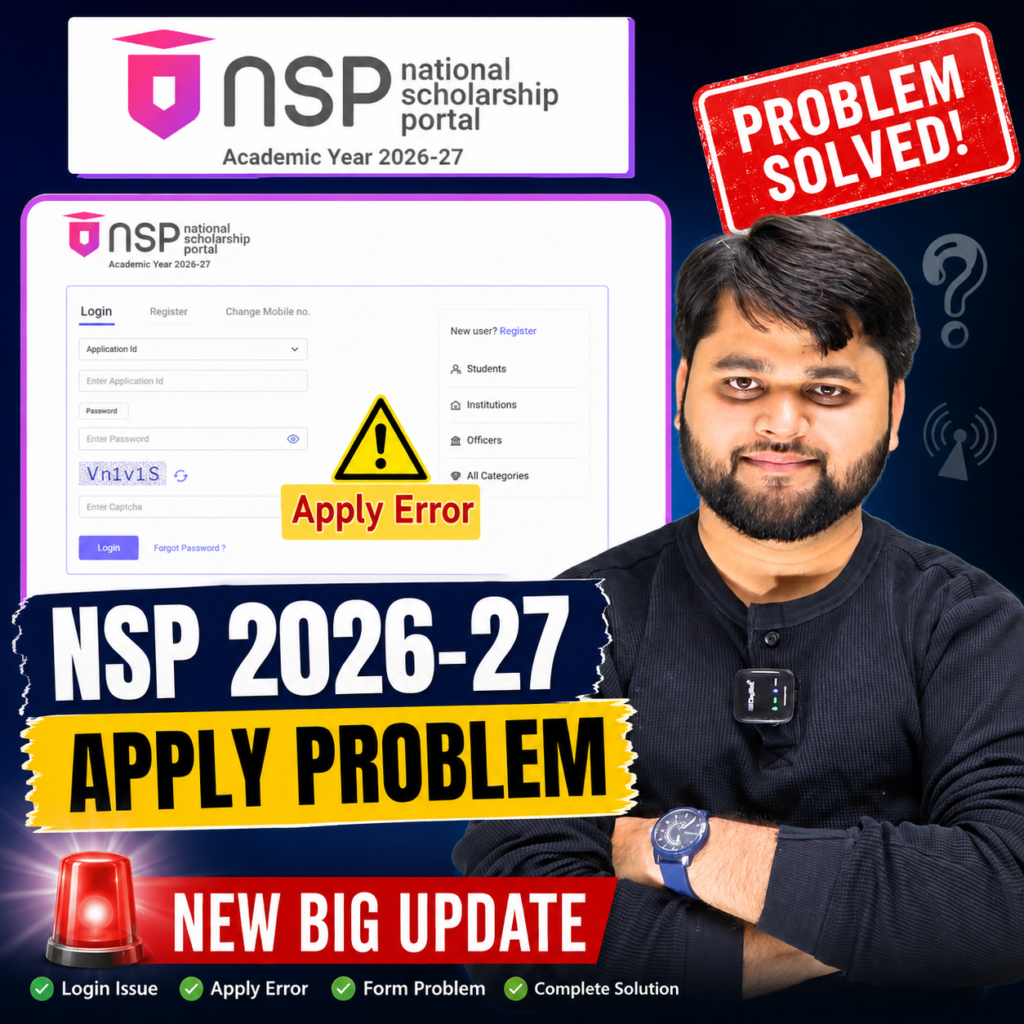
NSP Scholarship 2026-27 Apply Problem: What Is Actually Happening?
The biggest mistake students can make right now is assuming that “NSP is open” means every scholarship scheme is open for Fresh and Renewal applications.
That is not how the portal works.
The official NSP website states that the portal is open for Academic Year 2026-27 from June 1, 2026, but scheme-wise application dates are different. Students are also allowed to apply according to the eligibility conditions of the particular scheme.
For example, the current official scheme list shows:
- PM-USP CSSS: renewal applications are currently open.
- PM USP Special Scholarship Scheme for J&K and Ladakh: renewal is currently open.
- National Scholarship for Post Graduate Studies: not yet opened.
- Ishan Uday Special Scholarship Scheme for NER: not yet opened.
- Several other NSP schemes have already opened for Fresh applications.
So, if your expected scheme is showing “No Scheme Available”, Fresh instead of Renewal, or does not allow you to proceed, don’t immediately submit a different application just to get past the screen.
First check your scheme’s official status.
Quick Summary
| NSP 2026-27 Problem | Possible Reason | What You Should Do |
|---|---|---|
| No Scheme Available | Scheme may not have opened | Check scheme-wise NSP status |
| Fresh option showing instead of Renewal | Previous application/course details may not match | Check old application |
| Renewal option missing | Eligibility or previous record issue | Review previous year’s application |
| Application not proceeding | Portal/server or eligibility issue | Try again later and verify details |
| Wrong course year | Previous application may contain incorrect academic year | Print and inspect old application |
| Scheme not visible | Scheme may be closed/not yet opened | Check official scheme timeline |
| OTR/application issue | Required registration or authentication problem | Verify OTR and account details |
| Old application has wrong course year | Historical data may affect later renewal | Contact the concerned authority if correction is required |
Why Students Are Seeing “No Scheme Available” or Fresh Instead of Renewal
One of the most important lessons from recent NSP application issues is this:
Do not force an application when the portal is not offering the correct application type.
Suppose a student received a scholarship in an earlier academic year. Naturally, the student may expect the Renewal option to appear automatically in the next year.
But the system doesn’t simply look at whether you received money previously. It also works with information associated with your application, including your academic details and scheme records.
This is where an old data-entry mistake can become a bigger problem later.
The course-year mistake
Imagine a student is enrolled in a five-year integrated course.
During the first year, the student’s current course year should logically be 1st year.
If the student accidentally enters 3rd year, the application may still move through some stages depending on the circumstances. The student might even receive scholarship benefits.
The danger is that the mistake remains stored in the application history.
The next academic year, the student could enter 4th year. Later, the NSP system may interpret the student’s academic progression differently from the student’s actual course progression.
This is why students should not only check whether their application was approved. They should also check whether the information they submitted was actually correct.
The NEP-related confusion
Another source of confusion is the change in course structures under the National Education Policy.
Some students who were originally enrolled in three-year undergraduate programmes may now have four-year structures, depending on the programme and institution.
However, students should not assume that every course automatically receives an additional scholarship year.
The correct treatment depends on the particular scheme, course structure, institution and NSP eligibility rules.
If your academic course duration has changed but your NSP record appears inconsistent, don’t try to manipulate the course year simply to make the application proceed.
Instead, keep your academic records and contact the relevant scholarship authority/institute for clarification.
How to Check Your Previous NSP Application Before Applying in 2026-27
If you are facing an NSP 2026-27 application problem, checking your old application should be one of the first things you do.
The official NSP student section provides access to Fresh and Renewal applications from previous academic years after login. The portal also states that OTR is mandatory for scholarship applications.
Follow this process carefully.
Step 1: Login to NSP
Open the official National Scholarship Portal and log in using your OTR credentials.
Do not depend on screenshots or old links from social media when checking important application information.
Step 2: Open your previous application
Look at your application history for the relevant academic year.
If you received a scholarship previously, don’t just check the payment status.
Open the application details.
Step 3: Use “Print Your Application”
If the option is available, open Print Your Application.
This is one of the easiest ways to review what information was actually submitted.
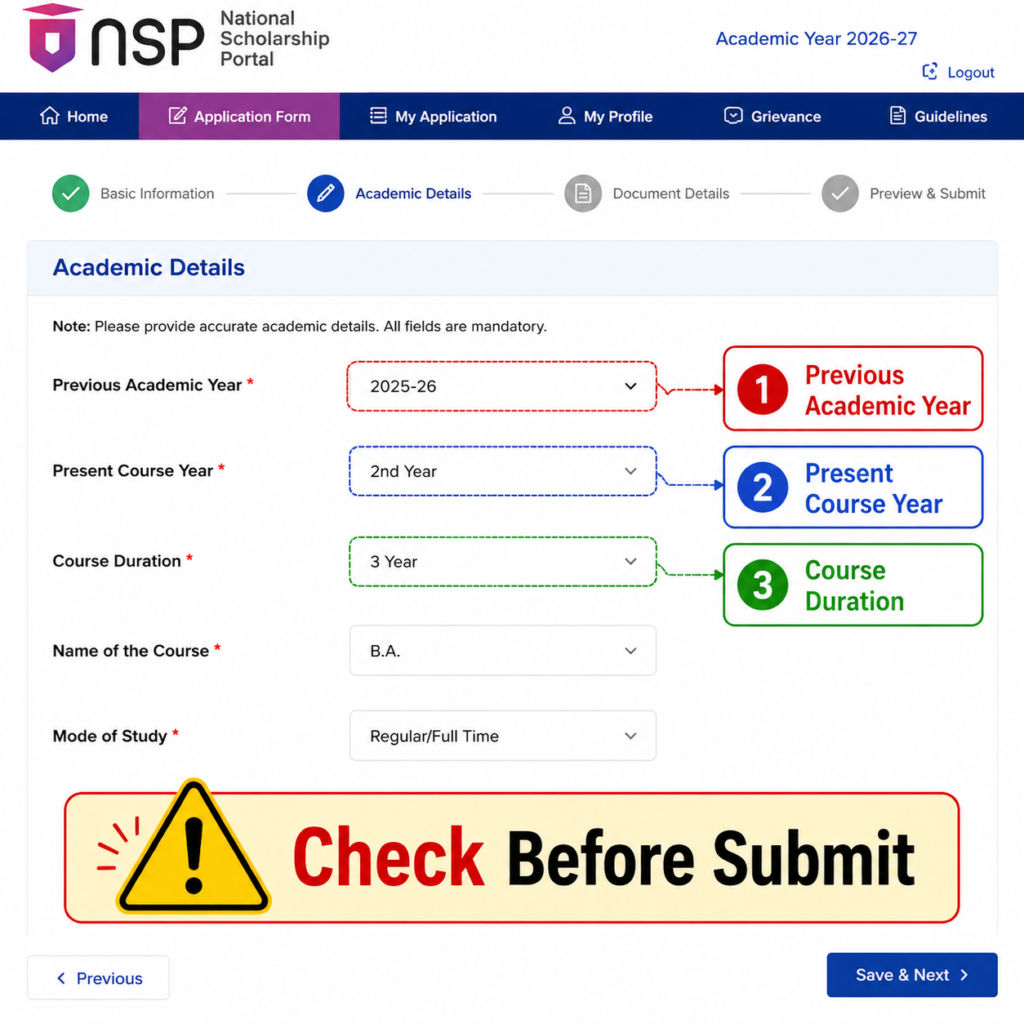
Step 4: Check your course details
Pay particular attention to:
- Present course
- Present year of study
- Previous course/year information
- Course duration
- Institution
- Academic year
- Scheme name
- Application type
Step 5: Compare it with your real academic record
Take your current college records, admission documents or other official academic information and compare them with the NSP application.
If you discover that you entered the wrong course year in an earlier application, don’t create another random Fresh application to correct it.
Step 6: Check the current scheme status
Before applying for NSP Scholarship 2026-27, verify whether your particular scheme is open for Fresh, Renewal, or both.
The official scheme list clearly separates these timelines.
NSP 2026-27 Application Checking Process
| Step | What to Check | Why It Matters |
| 1 | Login with OTR | Access your scholarship records |
| 2 | Open previous application | Find historical information |
| 3 | Print application | Review submitted data clearly |
| 4 | Check course year | Detect academic-year mistakes |
| 5 | Check course duration | Prevent incorrect progression |
| 6 | Check scheme name | Make sure you’re following the correct scheme |
| 7 | Check Fresh/Renewal status | Avoid selecting the wrong application type |
| 8 | Compare with college records | Confirm the information is accurate |
| 9 | Check official scheme timeline | Don’t apply before the scheme opens |
| 10 | Submit only after verification | Reduce avoidable errors |
What Should You Do If NSP Shows Fresh Instead of Renewal?
This is one of the most confusing situations for students.
Suppose you received a scholarship last year and expected Renewal, but the portal is showing Fresh.
The safest approach is not to immediately submit the Fresh application.
First ask yourself:
Is my scholarship scheme actually open for renewal for AY 2026-27?
Then check whether your previous application contains any incorrect academic information.
The official NSP portal currently shows that some schemes are open only for renewal while others are still not opened. For example, PM-USP CSSS renewal is currently available, whereas National Scholarship for Post Graduate Studies and Ishan Uday are listed as not yet opened.
Therefore, seeing a Fresh option does not automatically mean that you should select it.
Featured Snippet Answer
If NSP shows Fresh instead of Renewal, do not submit a new form immediately. First check whether your scheme is open for renewal, then review your previous application for course-year, academic-year and scheme details. If the information is incorrect, contact your institute or concerned scholarship authority for correction guidance.
For readers who prefer a quick walkthrough, this video explains the full process step by step.
Common NSP Scholarship 2026-27 Problems and Practical Solutions
Not every NSP problem has the same cause.
Some problems are caused by scheme availability. Others can be related to application data, technical issues or verification.
1. “No Scheme Available”
Don’t immediately assume your scholarship has been cancelled.
Check whether your specific scheme is currently open.
The official NSP scheme page provides scheme-wise opening and closing information.
2. Renewal is not showing
Check:
- Previous application
- Previous scheme
- Course year
- Current academic year
- Eligibility
- Current scheme opening status
If all details appear correct but Renewal still doesn’t appear, contact your institute or the concerned nodal authority instead of submitting an unrelated Fresh application.
3. Course year is wrong
This is particularly important.
If you entered the wrong course year in a previous application, don’t assume that receiving payment means the information was correct.
Review your application history and seek correction guidance from the appropriate authority.
4. Technical glitch while applying
Sometimes a portal may behave differently depending on browser, cache, session or server load.
You can try:
- Clearing browser cache
- Using an updated browser
- Opening an incognito/private window
- Logging out and logging in again
- Trying another device
- Trying again later if the portal is experiencing heavy traffic
However, these steps should be used for technical issues—not as a way to bypass eligibility or scheme restrictions.
5. OTR-related problem
From AY 2024-25, OTR is required for filling scholarship applications on NSP. The official portal describes OTR as a unique number applicable throughout a student’s academic career.
If your issue is specifically related to OTR or authentication, follow the official NSP instructions rather than generating multiple registrations.
NSP Problem vs Solution
| Problem | What It May Mean | Recommended Action |
| No Scheme Available | Scheme isn’t currently available for you | Check official scheme status |
| Fresh appears instead of Renewal | Record/eligibility/application mismatch possible | Check previous application |
| Renewal missing | Scheme may not be open or record may need review | Verify timeline and old details |
| Wrong course year | Previous application contains incorrect information | Contact institute/authority |
| Application page not loading | Technical/server issue possible | Retry later, clear cache |
| OTR issue | Registration/authentication problem | Follow official OTR instructions |
| Scheme not visible | Eligibility or opening-date issue | Check scheme specifications |
| Confusing course duration | Course structure and portal record may differ | Verify with institute |
| Payment received despite old error | Payment does not prove every detail was correct | Review application history |
| Unsure whether to submit Fresh | Wrong application type could create complications | Wait and verify before submitting |
Before submitting your NSP Scholarship 2026-27 application, always verify the current scheme status, application dates, eligibility requirements and whether Fresh or Renewal applications are being accepted. The official National Scholarship Portal should be treated as the final source for these details.
official National Scholarship Portal
NSP Scholarship 2026-27 Apply: Big Update & Problems
FAQ
Is NSP Scholarship 2026-27 open?
Yes, the NSP portal is open for Academic Year 2026-27, but individual scholarship schemes have different opening and closing dates.
Why is “No Scheme Available” showing on NSP 2026-27?
It can happen when the particular scholarship scheme is not currently open, when the student does not meet the applicable eligibility conditions, or when the application record does not match the expected criteria. Check the official scheme status first.
Why is Fresh showing instead of Renewal on NSP?
Fresh appearing instead of Renewal can be related to scheme availability, eligibility or information in your previous application. Review your old application before submitting a new Fresh form.
How can I check my previous NSP application?
Login to the NSP student portal using your OTR credentials and access your previous application details. The portal provides facilities for checking Fresh and Renewal applications from AY 2024-25 onwards.
Can I apply for NSP Fresh if Renewal is not showing?
You should not select Fresh simply to bypass a missing Renewal option. First determine why Renewal is unavailable and whether your scheme is actually open.
What should I check in my old NSP application?
Check your scheme, academic year, institution, present course, course year, course duration and other academic information.
Conclusion
The biggest lesson from the NSP Scholarship 2026-27 Apply New Problem is simple: don’t rush to submit an application just because you see an option on the screen.
NSP is currently operating for Academic Year 2026-27, but scholarship schemes have different timelines. Some are accepting applications, some are accepting only Renewal applications, and some are still marked as not opened.
If you are facing No Scheme Available, Fresh instead of Renewal, missing Renewal, wrong course year or another application problem, first check your previous application and compare the information with your actual academic record.
Most importantly, don’t repeat an old mistake just because the portal allows you to move forward.
Check the official scheme status, verify your details carefully and contact your institute or concerned scholarship authority whenever your records don’t match. That small amount of checking now can prevent a much bigger problem in a future renewal application.





One Response